
spreadsheets — hit the wallyet?
Keep using the spreadsheet you already have.
We turn it into a beautiful, AI-ready internal admin app — built just for your team.
- Data stays in your sheet
- Secured by Workspace
- From 2 weeks
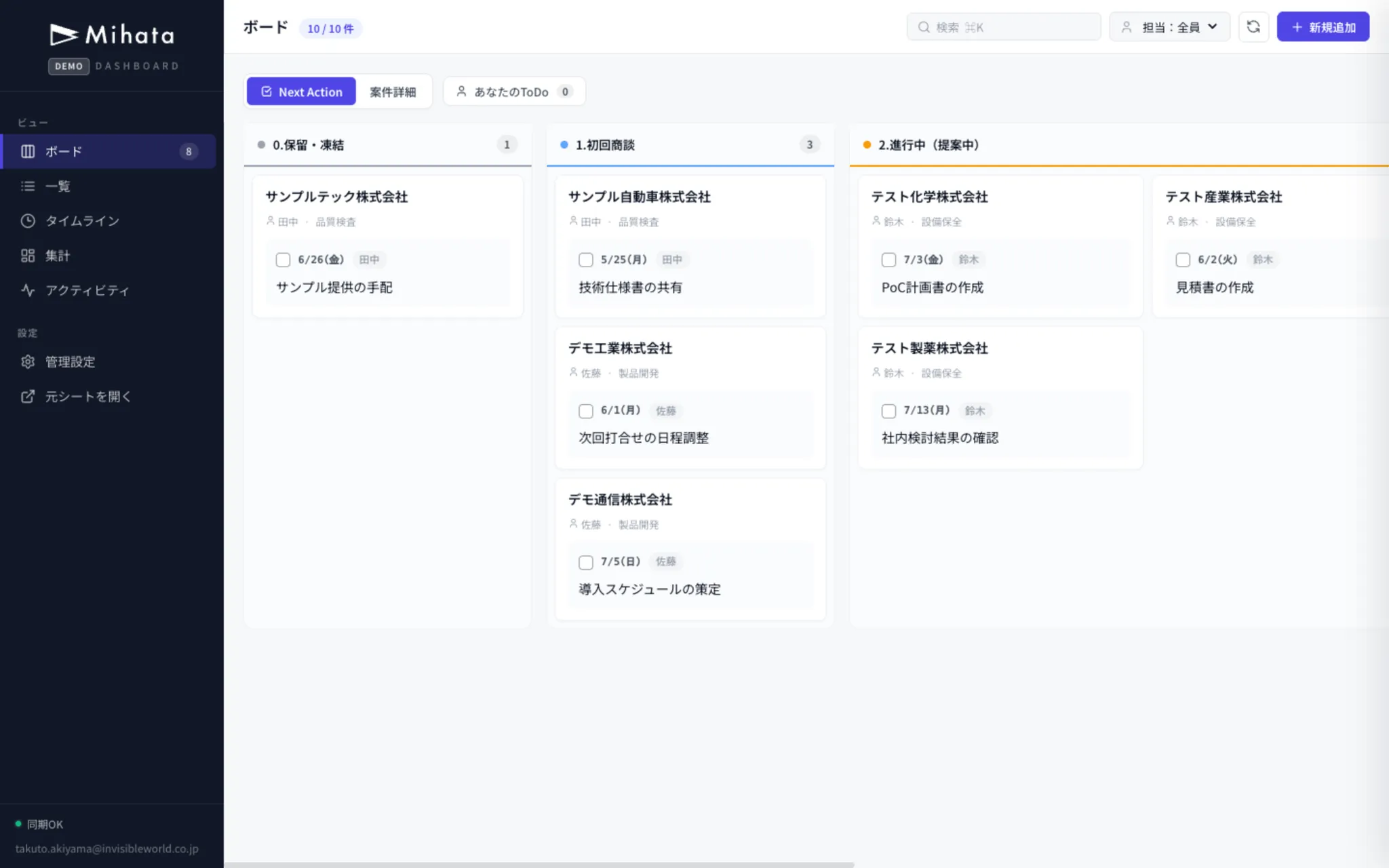
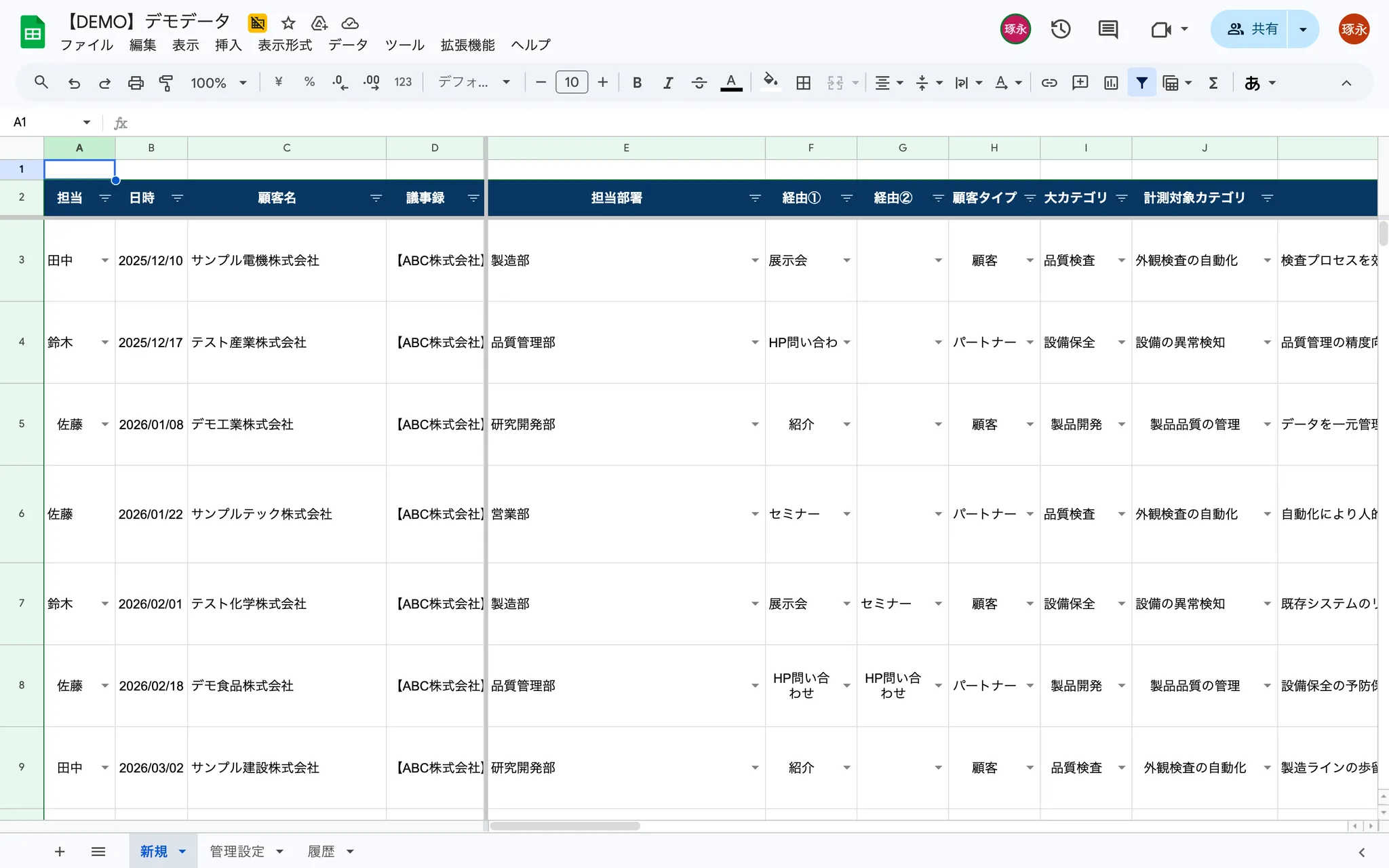
Hitting the limits of spreadsheets?
For teams that feel the ceiling of Excel / Google Sheets.
Start with a free consultationGrasping the status takes effort every time
Filters and sorts only go so far — you can't see progress or KPIs at a glance.
It gets heavier as the data grows
The more rows you add, the more Excel freezes — every aggregation and filter makes you wait.
You can't migrate to a new tool
Even when you consider Notion and the like, the learning curve and data migration are the blockers.
That spreadsheet, now like this.
Beautiful, easy to use — and the data stays in your spreadsheet.
Data sprawls across columns; hard to grasp at a glance.
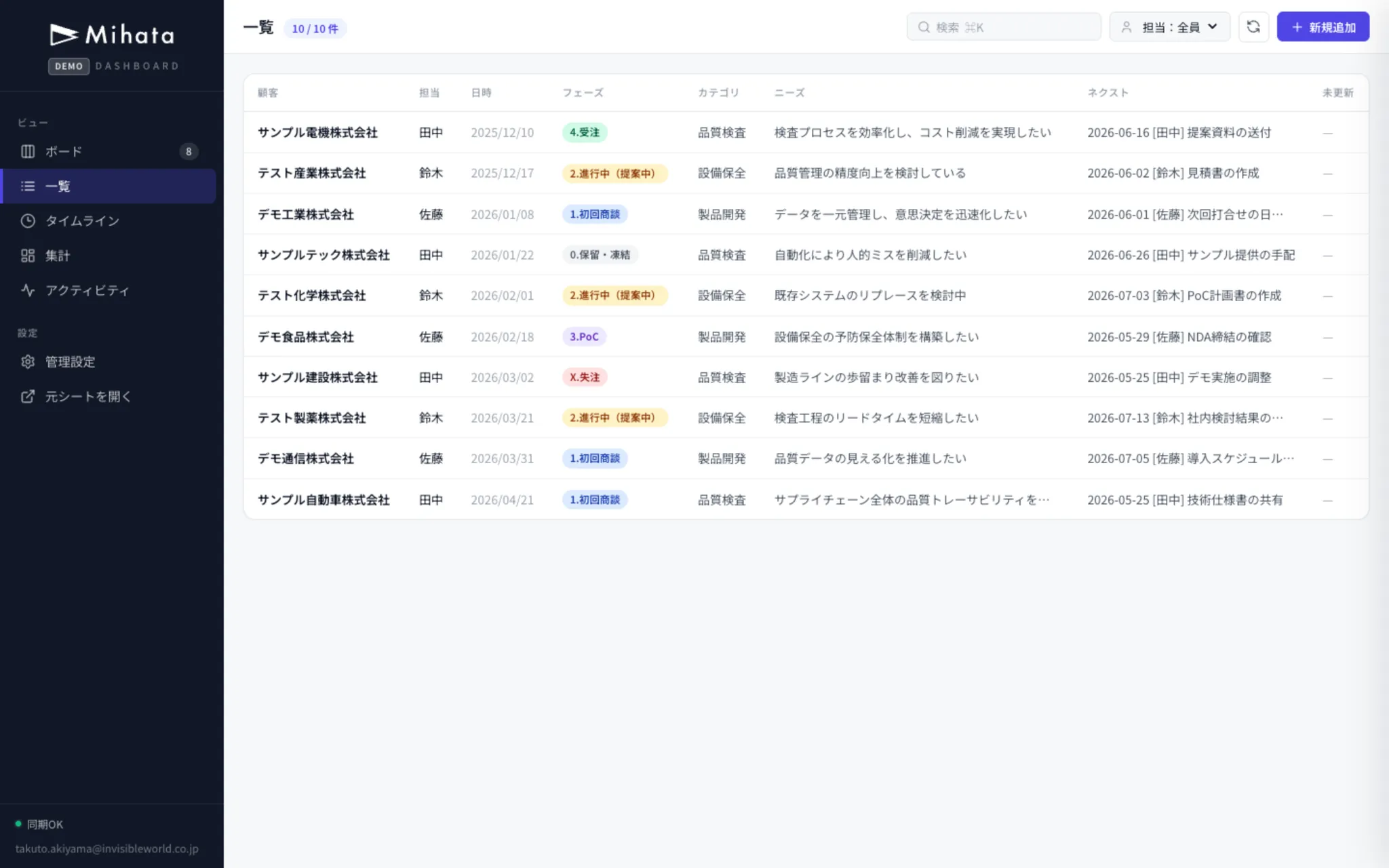
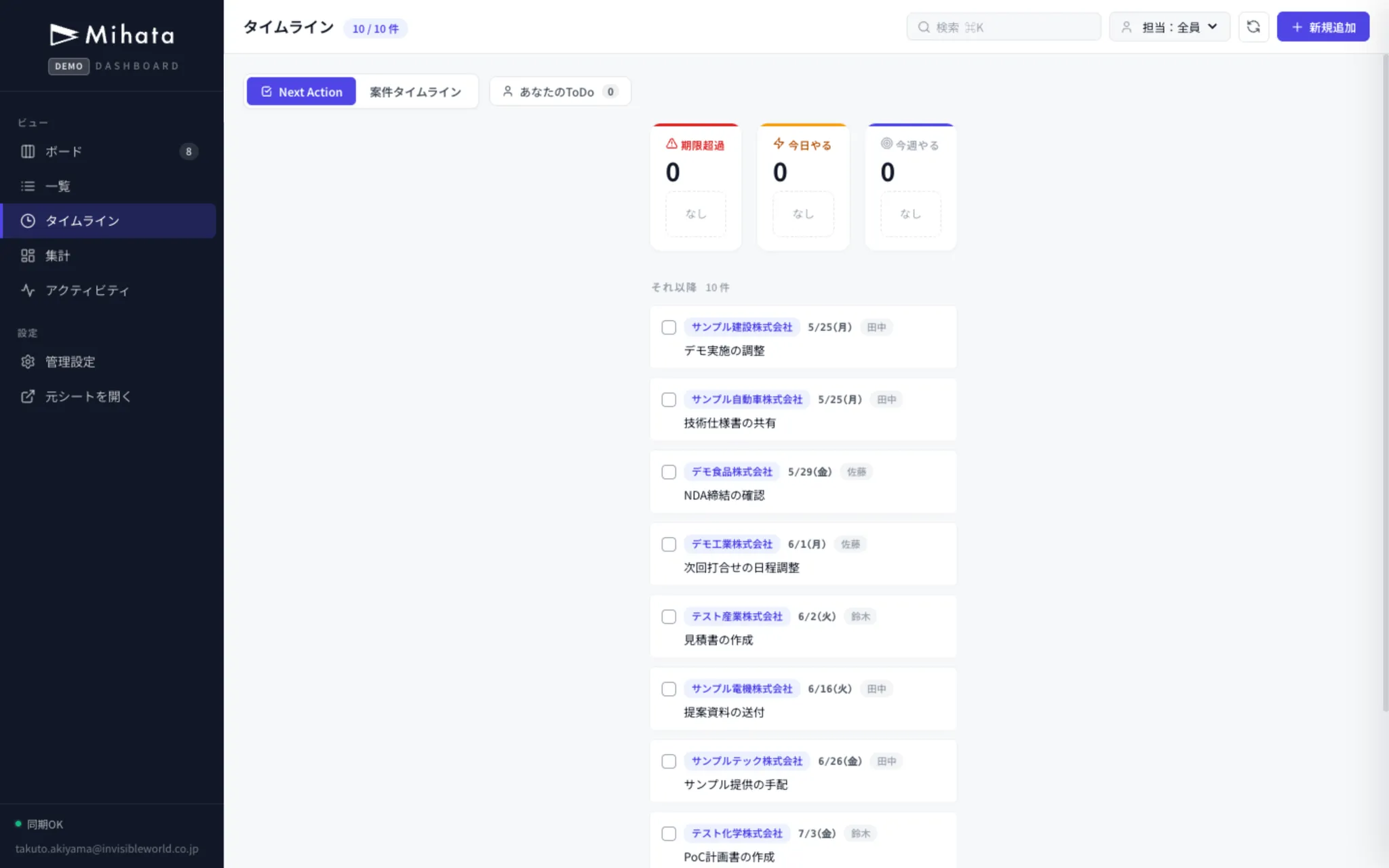
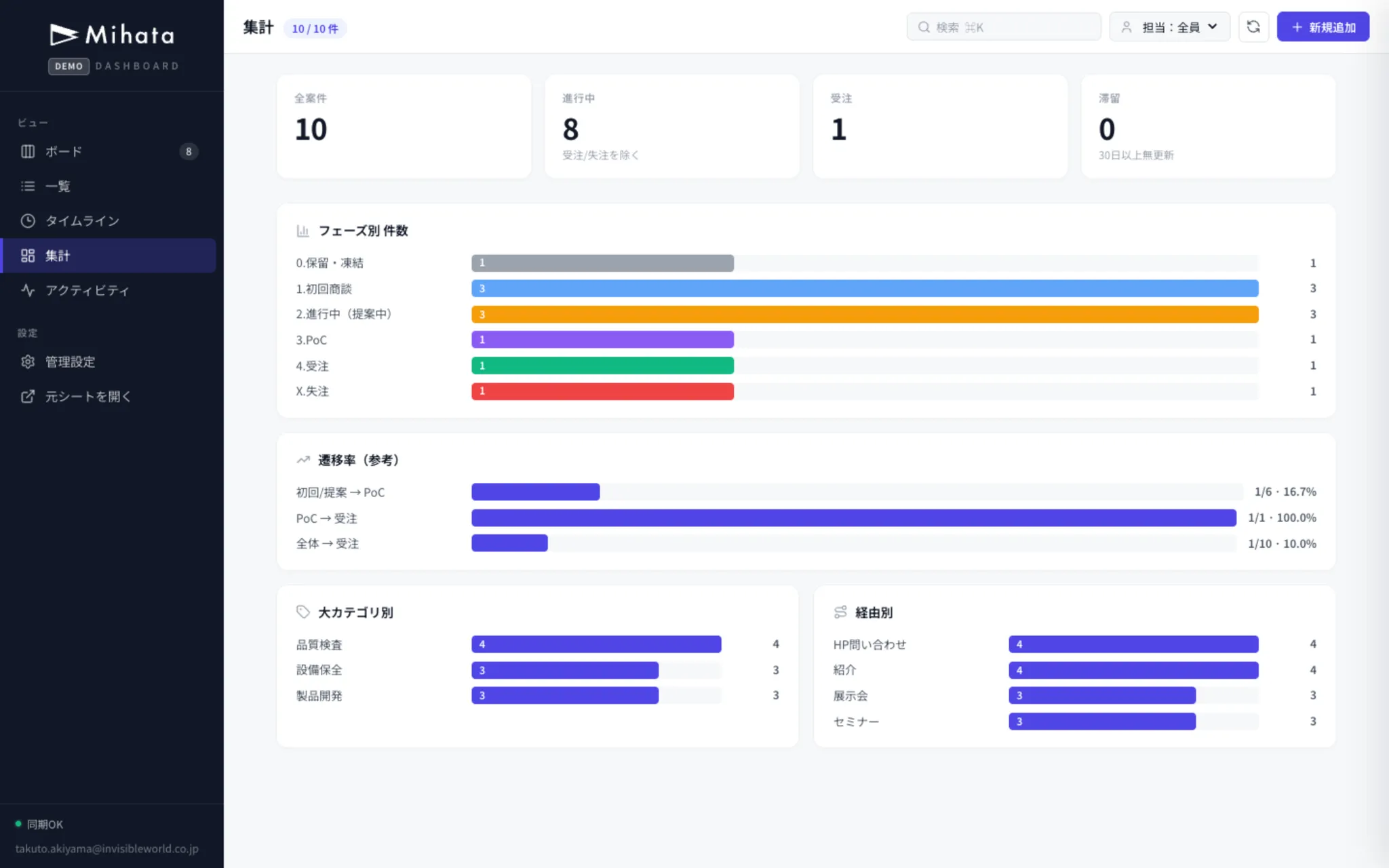
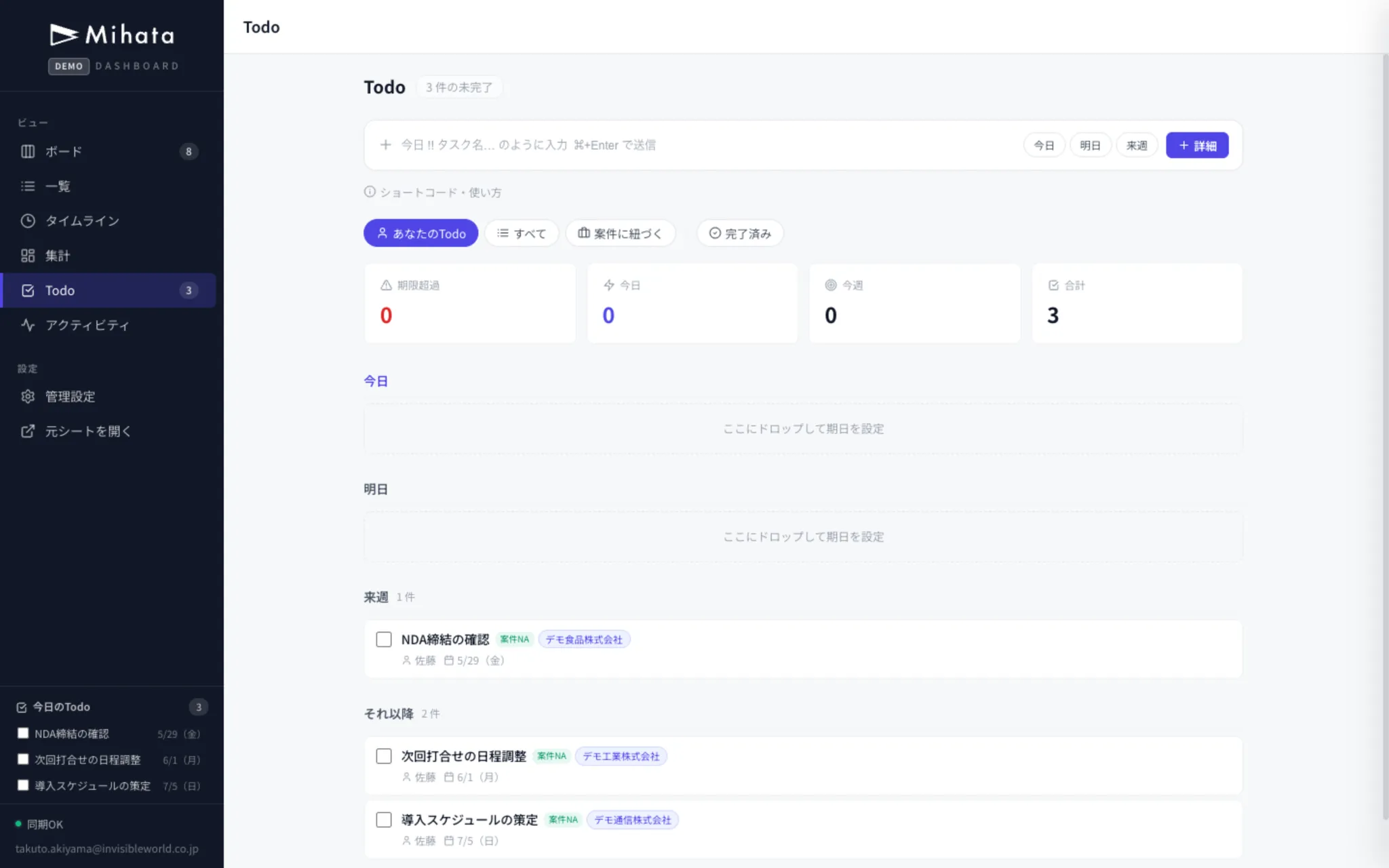
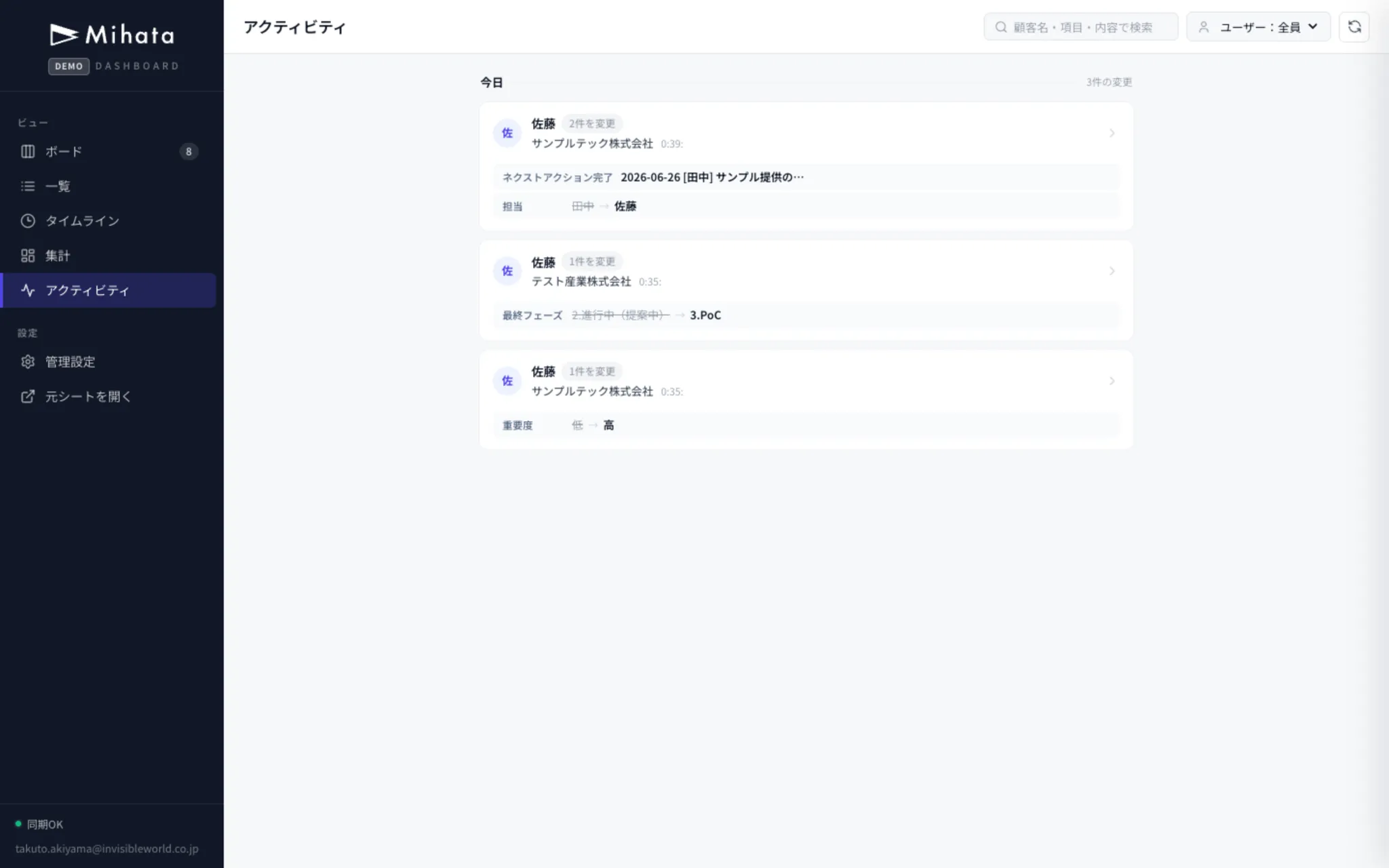
Board overview, click to edit details — data still in the spreadsheet.
Why use your spreadsheet
as the database?
It's about turning your spreadsheet itself into an app, no rebuild required. The most expensive parts of building a custom app are database design and security/auth. By leaning on Google Sheets + Workspace, we dramatically cut development cost without sacrificing safety.
Keep your current sheet — no migration
Your existing spreadsheet becomes the database as-is. No need to break or rebuild your current workflow.
Skip the most expensive layer
Database design and server operations — the biggest cost centers — are handled by Google's infrastructure, slashing development cost.
Rent your security from Workspace
Password management, role changes, and offboarding are all handled by your existing Workspace. If they can open the sheet, they can use the app — no new accounts needed.
Endless possibilities with AI
Because the data lives in a spreadsheet, AI integration is wonderfully flexible.
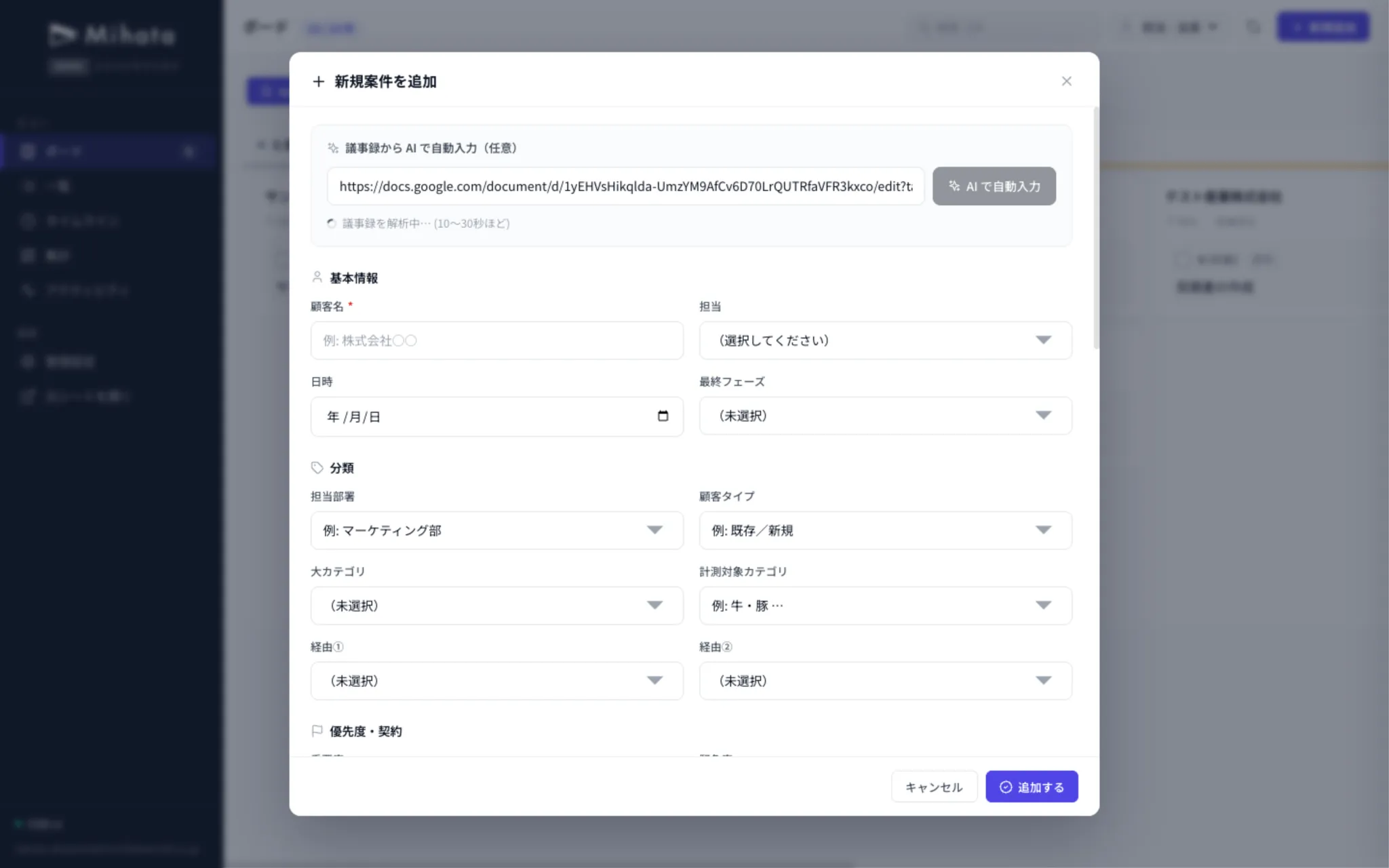
Live demo: Auto-fill from meeting notes
Paste a Google Doc / Meet AI meeting-notes URL — AI extracts customer info, project details, and next actions, then fills the form for you.
Paste the meeting-notes URL
Drop in a Google Doc or Meet AI notes URL
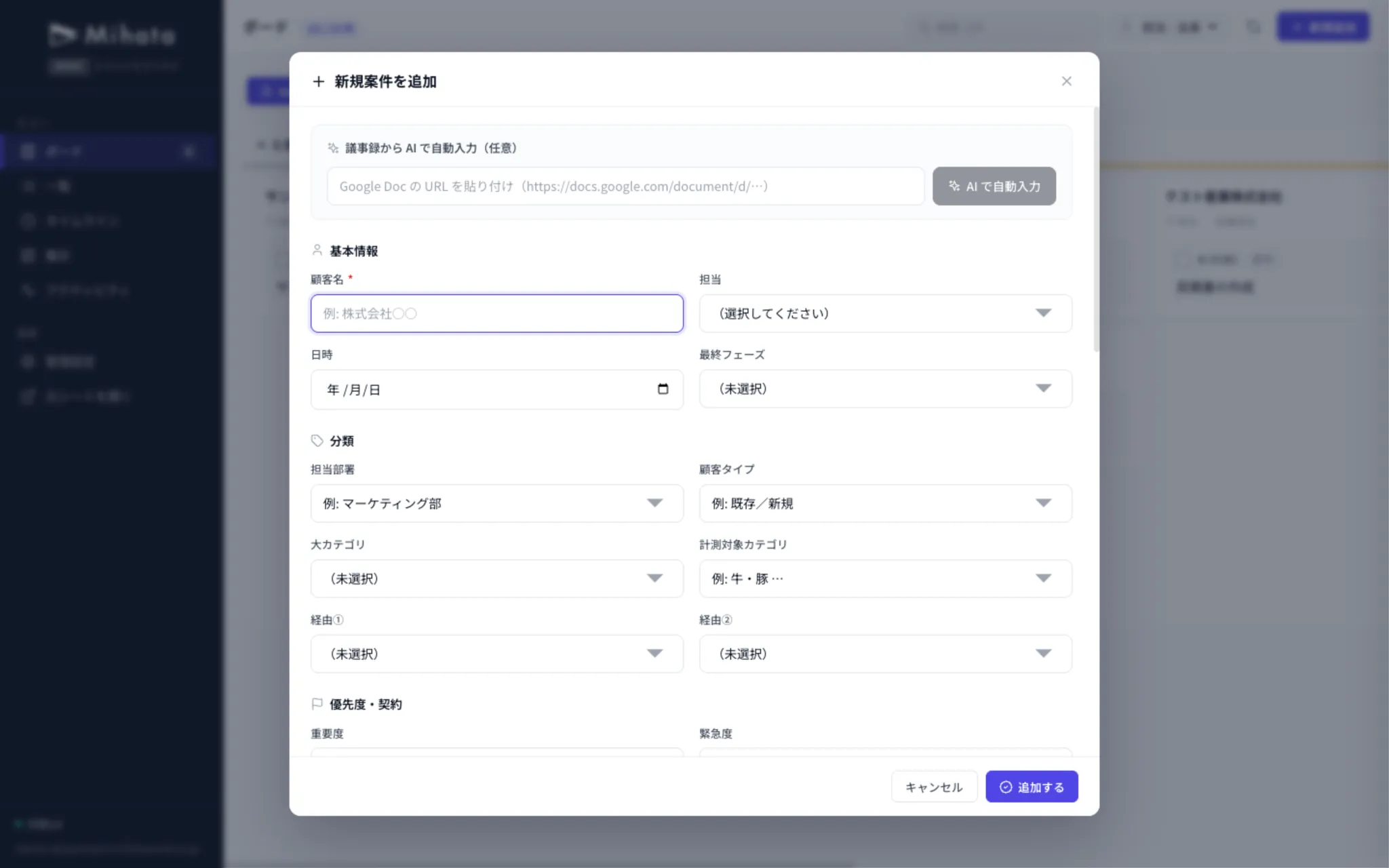
AI parsing…
10–30 seconds to extract content from the notes
12 fields auto-filled
Customer, owner, phase, and next actions — all populated
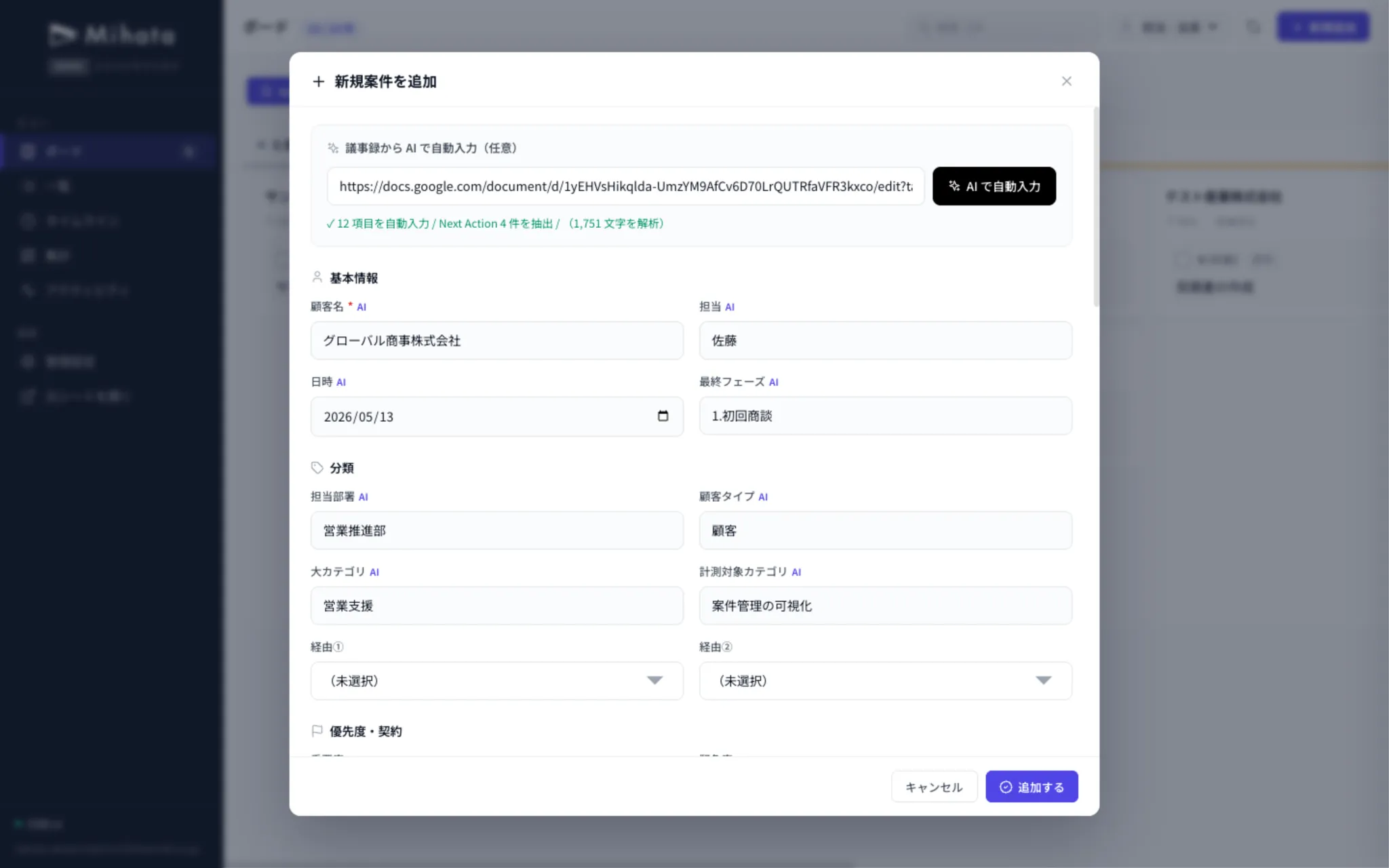
Auto-fill from meeting notes
Read Google Meet or Zoom AI meeting notes and auto-populate needs, issues, and next actions.
AI-powered data analysis
AI extracts trends and improvement points from the accumulated data, and proposes next moves.
Auto-drafted next meeting materials
Use admin data to let AI draft the next agenda and proposal materials.
Future-ready: Gemini integration
When Gemini can edit spreadsheets directly, humans and AI will edit the same data side by side.
Great for business management like…
If you've made do with Excel / Sheets but the UI just won't scale — these get dramatically easier.
Customer management
Lead → won, in one screen.
Project management
Phase-based kanban overview.
Inventory
Thresholds & auto-aggregates.
Sales pipeline
Per-member, weekly reports.
Attendance / shifts
Sheet edit = app update.
Purchasing
Easy supplier / cost compare.
Adaptable to any other business management area. Feel free to reach out.
We aim for one thing:
designs that are easy for both humans and AI.
Today's tools are skewed one way or the other — either easy for humans but hard for AI to edit, or AI-friendly but hard for humans to use.
Take the old website builders. Humans found them intuitive, but from an AI's perspective today, they're a mess of unnecessary steps just to edit a page.
The future is human + AI coexistence. By placing the spreadsheet as the database, humans get a beautiful app and AI works directly with the sheet — both usable at the same time. That's the design we believe in.
Delivered is not the end.
Admin settings you can customize and evolve yourself.
When your business changes, the admin app should change with it. Add fields, edit options, tweak phases — big changes through the maintenance plan, day-to-day tweaks any time on your side.
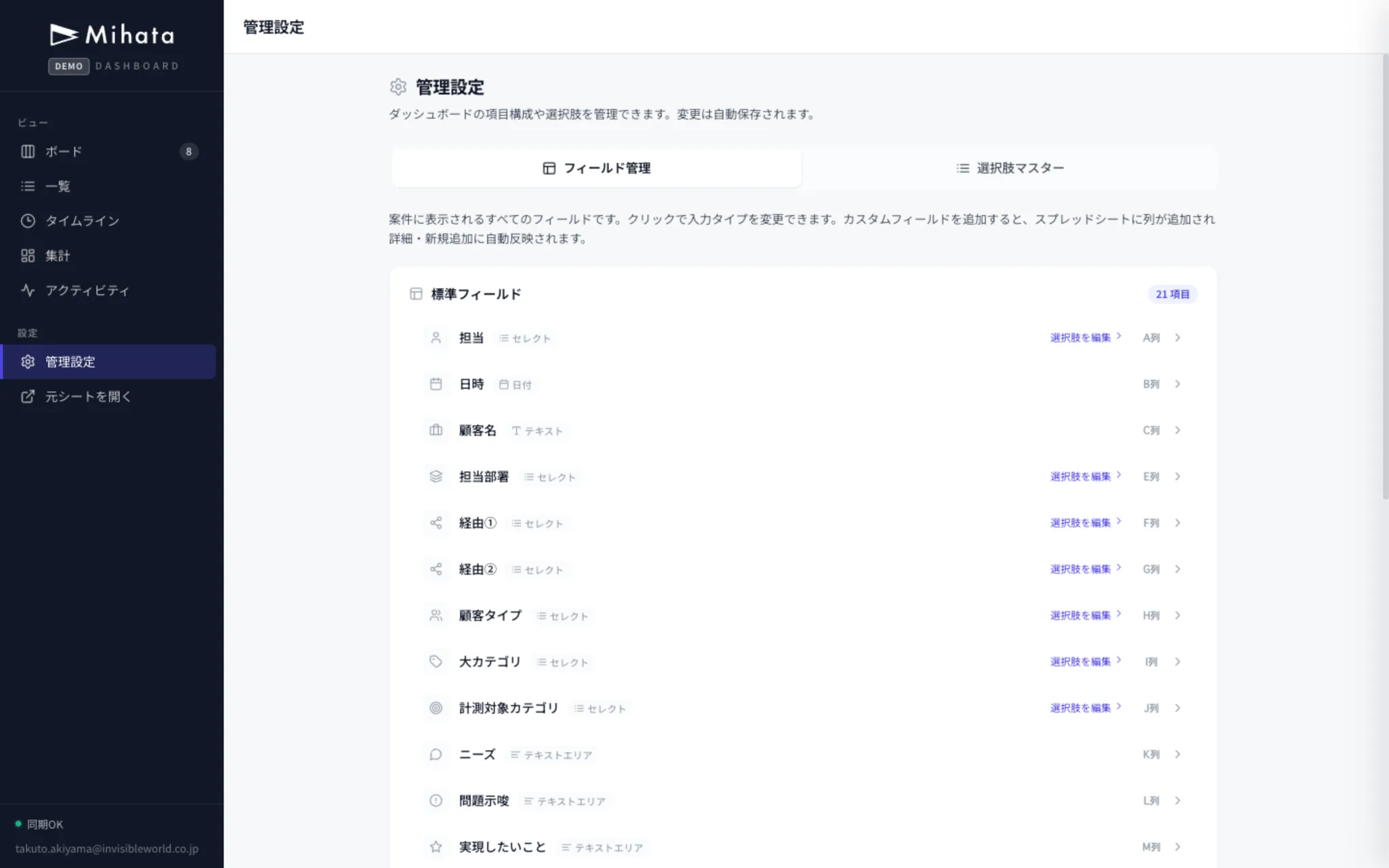
Add & edit fields
Add or rename any field shown on each record. Columns are auto-added to the sheet too.
Edit option masters
Add, reorder, or remove options for owners, sources, categories — any time.
Customize the phase setup
Tweak phase order, names, and colors to match how your business actually works.
Continuous improvement
Bigger features and operational consultation flow through the maintenance plan — the tool keeps up with your business.
Pricing
Like web production: pick your initial fee, pick your maintenance.
Initial build
(excluding tax)Template / Semi-Custom
Customize from a template (e.g., CRM)
- Pick from existing templates (CRM, etc.)
- Customized to your spreadsheet
- Workspace permission-aware sharing
- Basic AI integration included
- Post-launch operation walkthrough
- Maintenance plan compatible
Delivery: From 2 weeks
Discuss this planFully Custom
For complex sheets / heavy requirements
- Fits your sheet structure exactly
- Workflow-wide design after deep interviews
- Custom AI integration / automation
- Cross-sheet aggregation & analytics
- External API integration (Slack, Notion, etc.)
- Maintenance plan compatible
Delivery: Quoted per requirement
Discuss this planMonthly Maintenance
(excluding tax)Light
For basic fixes
- 3 fix requests/month (within 5 business days)
- Text & field-name fixes
- Dedicated request form
- Sheet structure support
- Emergency response
- Feature / column additions
- Monthly operational consult
Standard
Ongoing extensions & AI integration
- 5 fix requests/month (within 5 business days)
- Text & field-name fixes
- Dedicated request form
- Sheet structure support
- 1 emergency response / month
- Small feature / column additions
- Monthly operational consult & AI tuning
Maintain and extend any time
We accept post-launch fix requests, feature additions, and operational consultation through a dedicated form. Flexible with spreadsheet structure changes.
No-upfront-fee plan available
For solo founders and businesses under 5 years old, a no-upfront-fee plan combined with maintenance is available. Feel free to ask.
Frequently Asked Questions
Get a free
consultation
Whatever you want to manage, whatever pains your spreadsheet has,whatever you want to do with AI — feel free to reach out.
- Data stays in your sheet
- Secured by Workspace
- From 2 weeks