
Why Background Music Helps Focus (a Cognitive-Science View)
Most people searching for "focus music for work" are stuck in the same situation: they want to lock into the task in front of them, but their attention keeps slipping. Push notifications, family noise, the unsteady hum of an air conditioner, looping thoughts in their head. Playing music or ambient sound to plug those attention leaks has real grounding in cognitive science.
That said, not all sound improves concentration. Picking badly can actually make you less productive than working in silence. This article distills what the research says into a practical guide for remote workers, students, freelancers, and anyone doing desk work: how to choose focus BGM, how to switch by genre, how to use it for free, and why "music alone" rarely produces a complete focus environment.
Music helps focus through three mechanisms.
- Masking effect: a steady sound covers up sudden noises (voices, doors closing) and prevents attention breaks.
- Arousal regulation: a too-monotone environment makes you sleepy; a too-stimulating one tires you. BGM keeps you in the middle band.
- Mood regulation: a mild positive mood tends to lift working memory and sustained attention.
This matters most for language-heavy tasks like desk work or studying, where outside speech competes for the same cognitive resources you need. Suitable focus BGM and ambient sound act as a "wall of sound" against intrusion. The pragmatic framing is not "BGM motivates me" but "BGM builds a soundproof wall around my workspace against external and internal noise."
60–80 BPM Is the Sweet Spot, and Lyrics Tend to Hurt
Research generally points to roughly 60–80 BPM—close to a resting heart rate—as the tempo range that balances relaxation and focus. Faster than that overstimulates the sympathetic nervous system; slower invites drowsiness. Most Lo-fi Hip Hop, ambient, and piano music falls in this range. When picking a playlist, scan past the artwork and check the tempo or genre tags if available; you'll choose better.
The second important principle is that music with lyrics tends to interfere with concentration. The reason is simple: the brain auto-processes meaningful language whether you want it to or not.
- For language-based tasks like reading, writing, coding, and language study, lyrics steal working-memory capacity (especially the phonological loop).
- The closer the lyric language is to your native one, the more interference. Foreign-language lyrics or instrumentals are safer.
- For repetitive tasks (light admin, tidying, cleaning), lyrics rarely cause problems and can actually function as motivational fuel.
So "lyrics vs. instrumental" isn't about taste—it's about switching by task type. As your everyday focus music, default to instrumentals or noise-based audio. Reserve lyrical music for routine tasks.
Genre Comparison: Lo-fi, Classical, Jazz, Nature Sounds, White Noise, Ambient
Here are the most common focus-BGM genres, broken down by suitable tasks, tempo, and watch-outs.
Genre | Best for | Tempo range | Watch-outs |
|---|---|---|---|
Lo-fi Hip Hop | Long desk-work sessions, studying, writing | 70–90 BPM | Gets stale quickly; rotate several playlists |
Classical | Reading, organizing thoughts, planning | 60–100 BPM (varies) | Movements with sudden volume shifts can break focus |
Jazz (instrumental) | Light admin, email triage | 80–120 BPM | Heavy improvisation isn't ideal for deep focus |
Nature sounds (rain, river, forest) | Deep thinking, meditative work, end-of-day tidying | No tempo | Avoid tracks with sudden thunder or loud bird calls |
White / pink / brown noise | Open offices, noisy environments | No tempo | Tires the ears over long sessions; keep volume low |
Ambient | Creative work, coding | 60–80 BPM | Low variation can make some people sleepy |
"Noise" is often treated as one category, but the spectra differ. White noise is flat across all frequencies, like TV static. It masks well but the high end can fatigue your ears. Pink noise is weighted toward lower frequencies, closer to rain or a waterfall, and easier on the ears for long stretches. Brown noise emphasizes lows even more, with a deep wave-like or wind-like character. For ear comfort, start with pink or brown noise. Combinations like rain plus white noise are popular, but try a single noise first to make sure you can listen for hours without fatigue, then layer if needed.
A Framework for Picking Focus Music by Task
Once the genres are familiar, lock in a mechanical "by task" rule so you stop wasting time choosing.
- Language tasks (writing, reading, coding, language study): instrumentals or noise. No lyrics.
- Numerical / data tasks (accounting, data entry): Lo-fi, ambient, or pink noise. Steady tempo.
- Creative tasks (planning, design): classical or ambient with some development can spark ideas.
- Repetitive work (organizing, cleaning, light admin): anything you like, including lyrics.
- Breaks / resets: nature sounds or brown noise. Even short doses help the autonomic system reset.
The key insight: focus music is not "one playlist forever." Switch when the task type switches. Rather than rigidly assigning classical to study and Lo-fi to work, the more reliable habit is to ask each time: is this current task language-heavy?
How to Get Focus BGM for Free (YouTube, Spotify, apps, browser tools)
You don't need a paid subscription to access strong focus BGM. Here is a neutral overview of the main options.
YouTube wins on breadth. "Lo-fi radio," "study with me," "rain sounds 10 hours"—long, uninterrupted streams are abundant, and switching by mood or genre is easy. The downsides are ads and related-video thumbnails, both of which break focus. Picture-in-picture or playing on a separate device helps. Bookmarking a few go-to channels and not straying outside them also keeps you out of the "endless choosing" trap.
Spotify shines on playlist consistency. Official playlists like "Deep Focus," "Lo-Fi Beats," and "Peaceful Piano" hold a steady tempo and mood, which means fewer surprises. The free tier is usable, though shuffle restrictions and ads can make long focus sessions awkward.
Mobile and desktop apps dominate noise-based and nature-sound use cases. Apps specialized in white noise, rain, and coffee-shop ambience often work like a mixer, letting you stack multiple sources—e.g. "rain + distant café + fireplace"—into your own bespoke soundscape. Just be careful not to overspend time on setup. To actually benefit from ambient sound for focus, keep your mix to two or three sources.
Browser tools have the lowest friction—no install required. They don't clog up your storage, work on shared library or office machines, often need no account, and many bundle a Pomodoro and a clock with the audio. When "BGM + timer + fullscreen" live in one place, the friction of getting into focus drops sharply.
The biggest efficiency gain doesn't come from finding the "best" audio source—it comes from the tool that minimizes the friction between launch and a focused state.
Sound Alone Doesn't Build a Focus Environment
So far we've talked about audio. But tuning audio alone won't get you to focus. Two failure modes account for most of the trouble in real practice.
- Visual stimulus: notification badges, unread email, social media tabs all visible on the screen will keep your eyes wandering, no matter how good the BGM is.
- Time structure: if "how long am I doing this for" is vague, people unconsciously slack off, or burn out from over-focus.
For visual stimulus, the basics are familiar—clean up the desktop, close tabs—but the fastest fix is to switch the whole screen into "focus mode". A calm background image with just a large, readable clock is enough to signal to the brain that this is now a focus block. Even when chat or notifications can't be turned off, you can overwrite your visual field to approximate a digital-detox state.
For time structure, the standard answer is Pomodoro. Twenty-five minutes of focus and five of break, on repeat, sounds simplistic, but its real value is forcing a clear start and end. The "just 25 more minutes" framing also lowers the psychological hurdle of starting, which curbs procrastination. Use BGM as the "play = focus start" signal and the Pomodoro timer as "stop = focus end." Audio and time then synchronize into a strong habit loop.
Mihata's Focus Clock: BGM, Background, and Pomodoro on One Screen
When BGM lives in one app, the timer on your phone, and the background on your desktop, you re-pay the launch cost every time you sit down to focus. Mihata's Focus Clock is a browser tool that combines all of the above on a single screen.
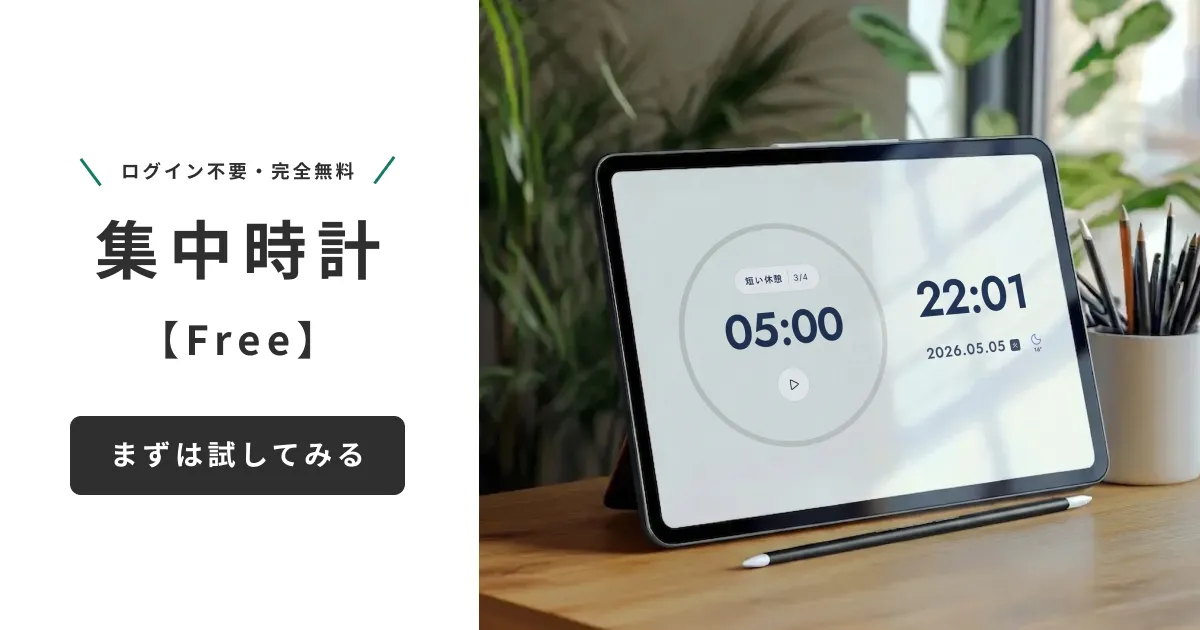
- Built-in focus BGM and ambient sound: Lo-fi, ambient, rain, white-noise variants—presets selected for tempo and stimulus level. Pick and play.
- Pomodoro timer: standard 25/5 split that automatically marks the start and end of each block.
- Stylish background plus a large clock: turns the whole screen into a "focus mode" view with minimal visual stimulus.
- Fullscreen and PWA support: hide the browser tabs and address bar, run it like a native app.
- Fully free, no ads, no account required: friction from launch to focus is reduced to a minimum.
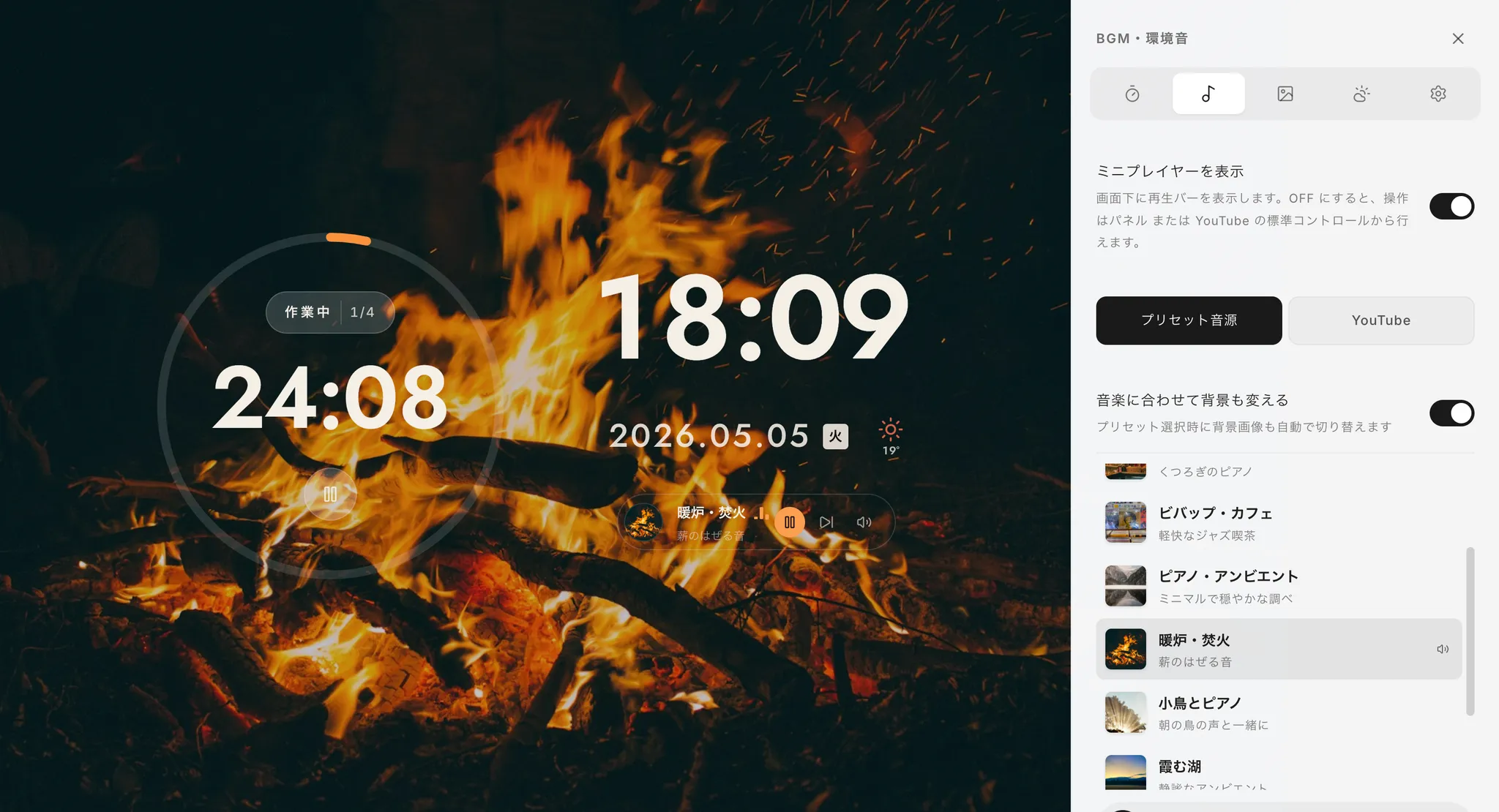
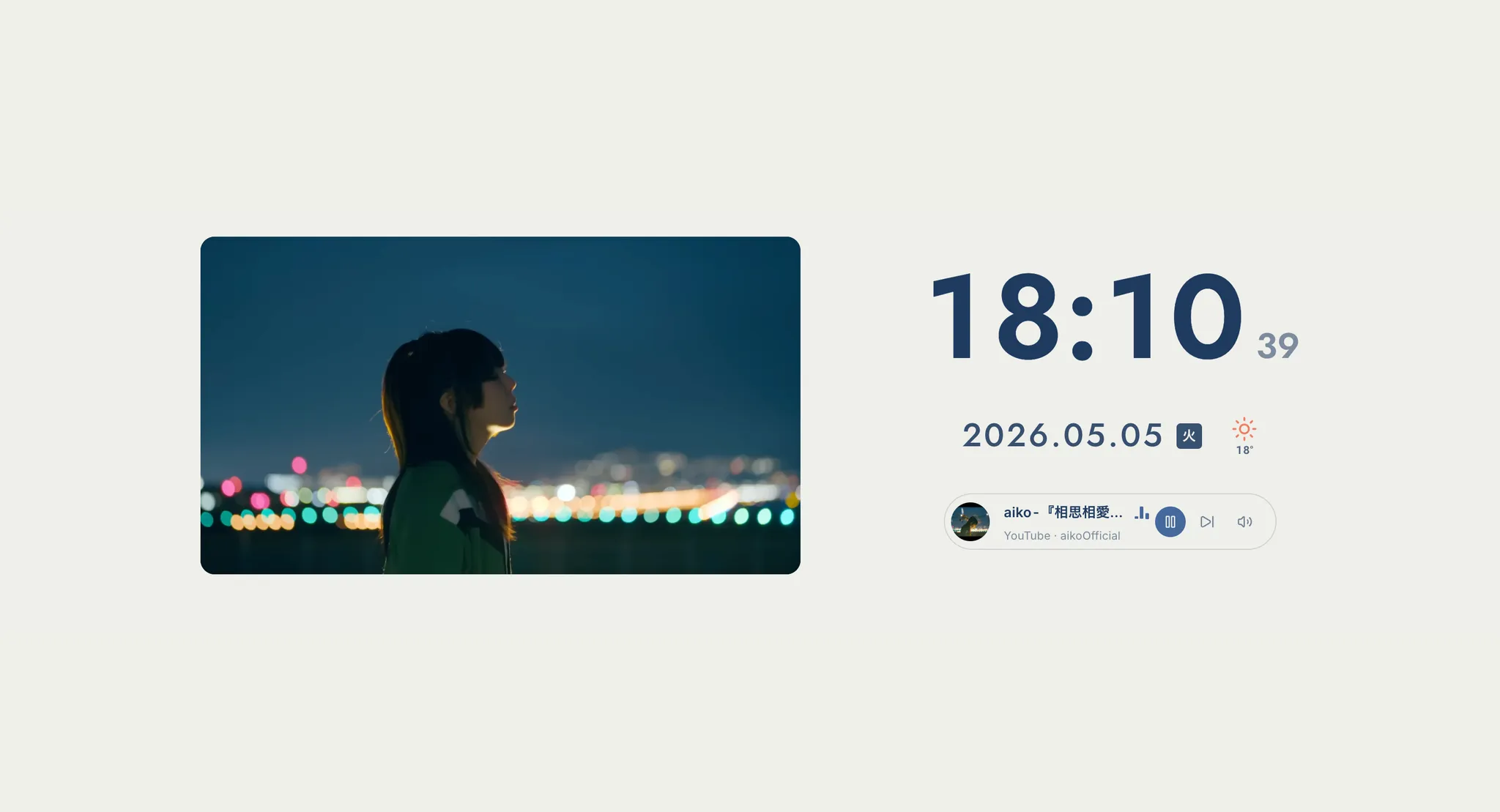
The biggest practical benefit is collapsing "open the BGM app, open the timer, clean up the desktop" into one step: opening Focus Clock. For remote workers slow to spin up, students who keep hunting for study music, and freelancers whose desk-work rhythm slips, the state of "the focus environment is already set up the moment I open it" pays off more than you'd expect.
Summary: Don't Just "Choose Music"—Tune the Whole Environment
Focus music isn't a "press play and you're done" tool. The effects only show up once you respect a few principles—60–80 BPM, instrumentals for language tasks, start noise with pink or brown—and switch by task.
To close, here are six small operational tips you can use starting tomorrow.
- Keep the volume low. Slightly below a comfortable conversation level. Too loud and the music itself steals attention.
- Use it as a starting cue. Playing the same playlist conditions the brain to read "BGM = focus start."
- Limit long-running loops to two or three. Less time spent choosing means less time to focus.
- Cut the BGM during breaks. The silence gap restores the audio's power as a "focus switch" when you resume.
- Switch the moment lyrics intrude on a language task. Don't let small mismatches sit—they erode long-term focus habits.
- Tune sound, vision, and time together. Pair BGM with backgrounds and timers; that's where stable results come from.
The real difference comes not from sound in isolation but from how easily you can stand up an entire focus environment—including visual control and time structure—with low friction. Try bundling BGM, background, and Pomodoro into a single screen and starting your work the moment you open it.
If you'd like to know why we built Focus Clock and the philosophy behind its features, see the development story in Mihata's own words.