
It has been a little while since we released Pomo Clock (集中時計) — a free work clock that runs in your browser, with nothing to install and no account to create. Thankfully, a lot of people now open it every single day.
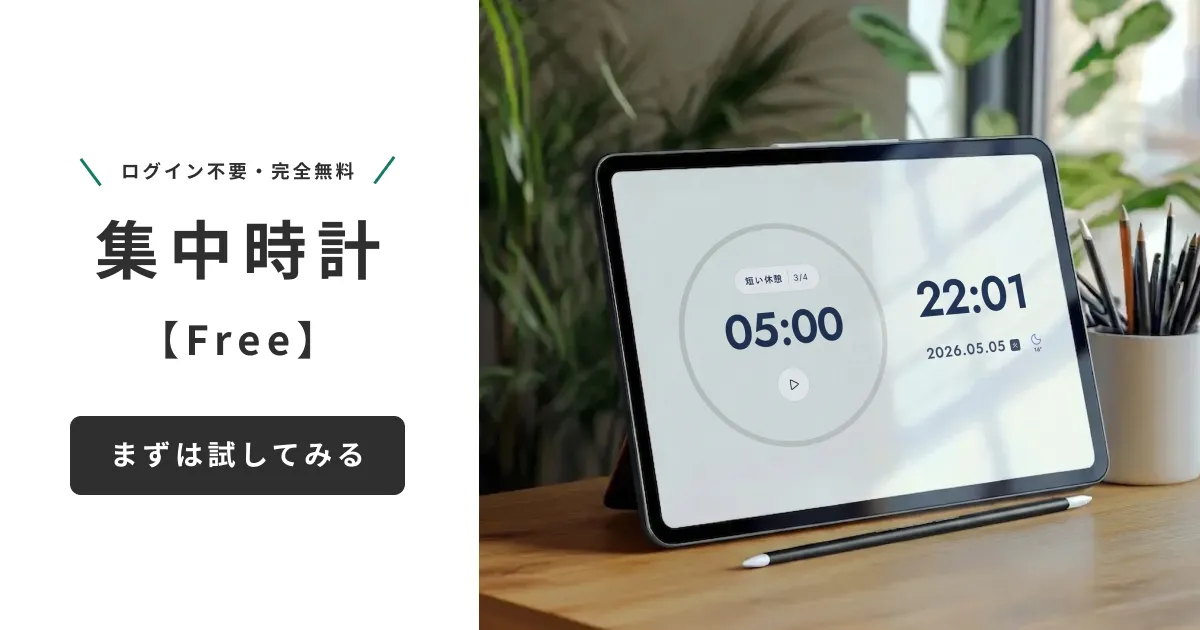
This column is about why I built it, and honestly, it does not start with a very flattering story. Whether you already use Pomo Clock every day or are only now thinking about trying it, I hope you enjoy the read.
Honestly, I am a pretty lazy person
There are a lot of things I want to do, and I do have motivation. I am also, fundamentally, lazy.
I put things off. I sit down at my desk and, before I notice, I am holding my phone. Something I opened "just for a second" is still in my hand thirty minutes later. I repeated that loop for years.
At some point I gave up on fixing it with willpower. So now, during work I leave my main phone by the front door. Not airplane mode, not notifications off — physically out of reach. That is how little I trust myself.
Which creates one problem: I can no longer see the time, and I lose track of it completely.
So what do you do instead? The answer was sitting right there on my desk, covered in dust: an old iPhone from before my last upgrade, and an iPad I had completely stopped using.
A clock you can simply leave on screen is surprisingly hard to find
It turned out to be harder than I expected.
- The iPad has no always-on Standby mode at all
- My older iPhone did not ship with Standby either
- Even on newer iPhones, most models will not keep Standby on indefinitely
"I just want to leave a clock on the screen, and there is no clean way to do it." That was the starting line.
What I wanted was this:
- Something that keeps showing the time just by being left open in a browser — on an old iPad, an old iPhone, or a PC
- Something you can park at the edge of your vision that never gets in the way of your work
- Something that lifts your mood a little just by sitting there, and quietly pulls the motivation out of you
And if I was going to build it myself, I might as well pour in every "I wish it did this" I had collected from years of trying focus BGM apps and Pomodoro timers.
So I put in every feature I personally wanted
One rule was fixed from the start: keep it simple. The time and the date are the foundation that never moves. Everything else gets layered on only if it earns its place.
1. The time and date, laid out beautifully
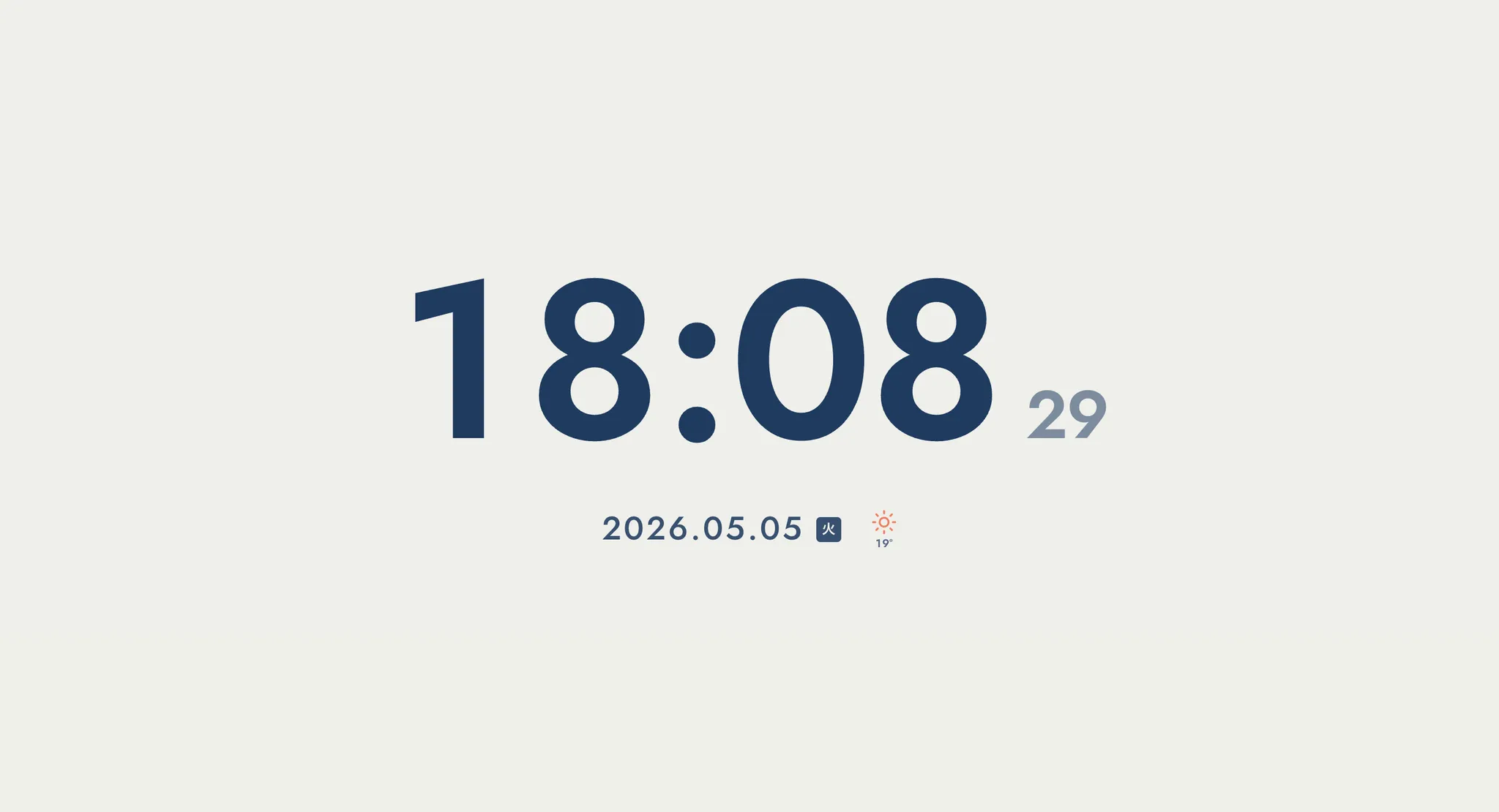
Open it and all you see is the time and the date. Decoration is kept to a minimum. From there you can tune the typeface (hand-picked from Google Fonts), weight, size, color, whether seconds are shown, and 12- or 24-hour format. To the right of the date sits a small weather icon and the current temperature for your location.
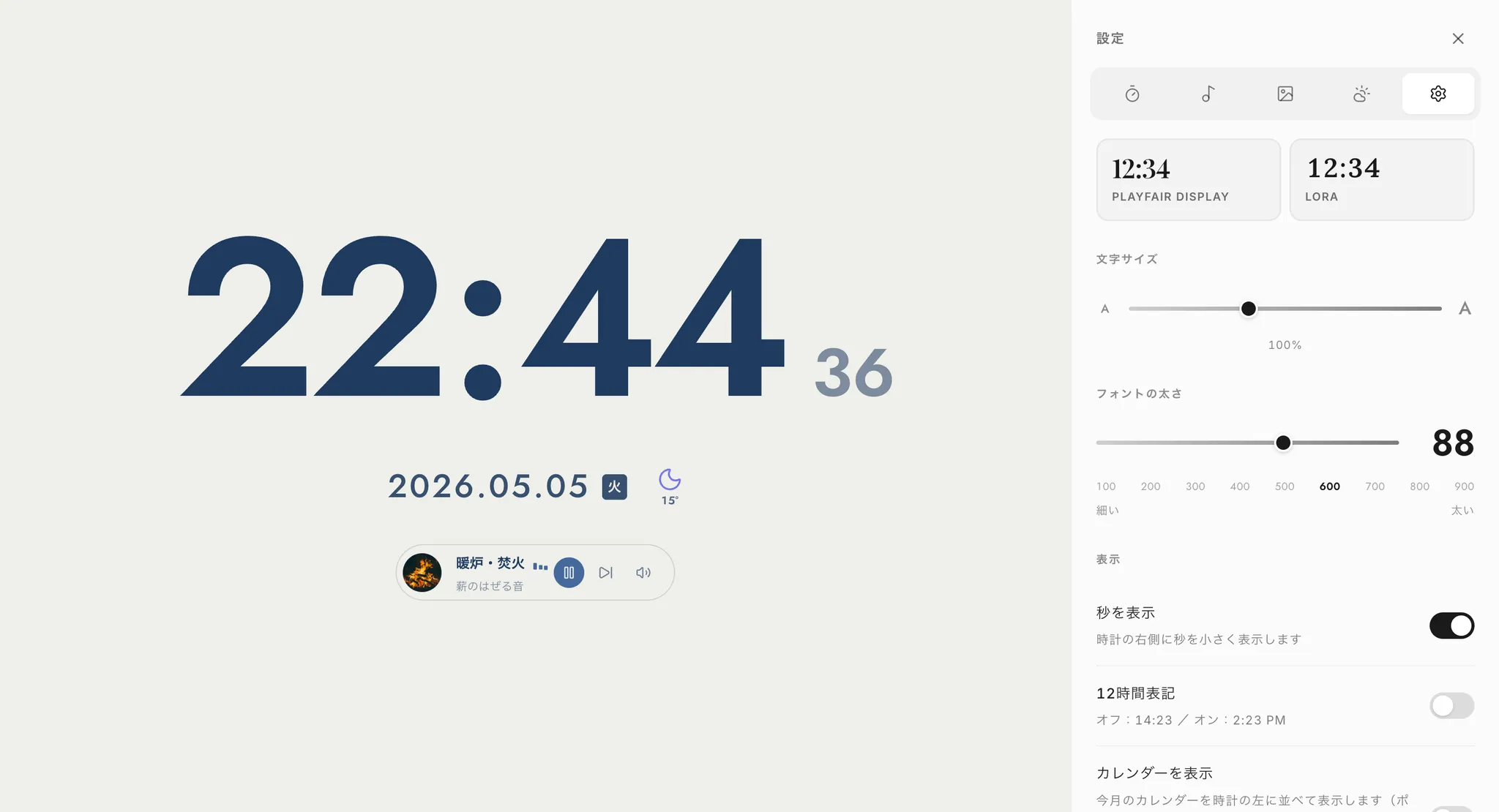
2. A Pomodoro timer — building a rhythm of focus and rest
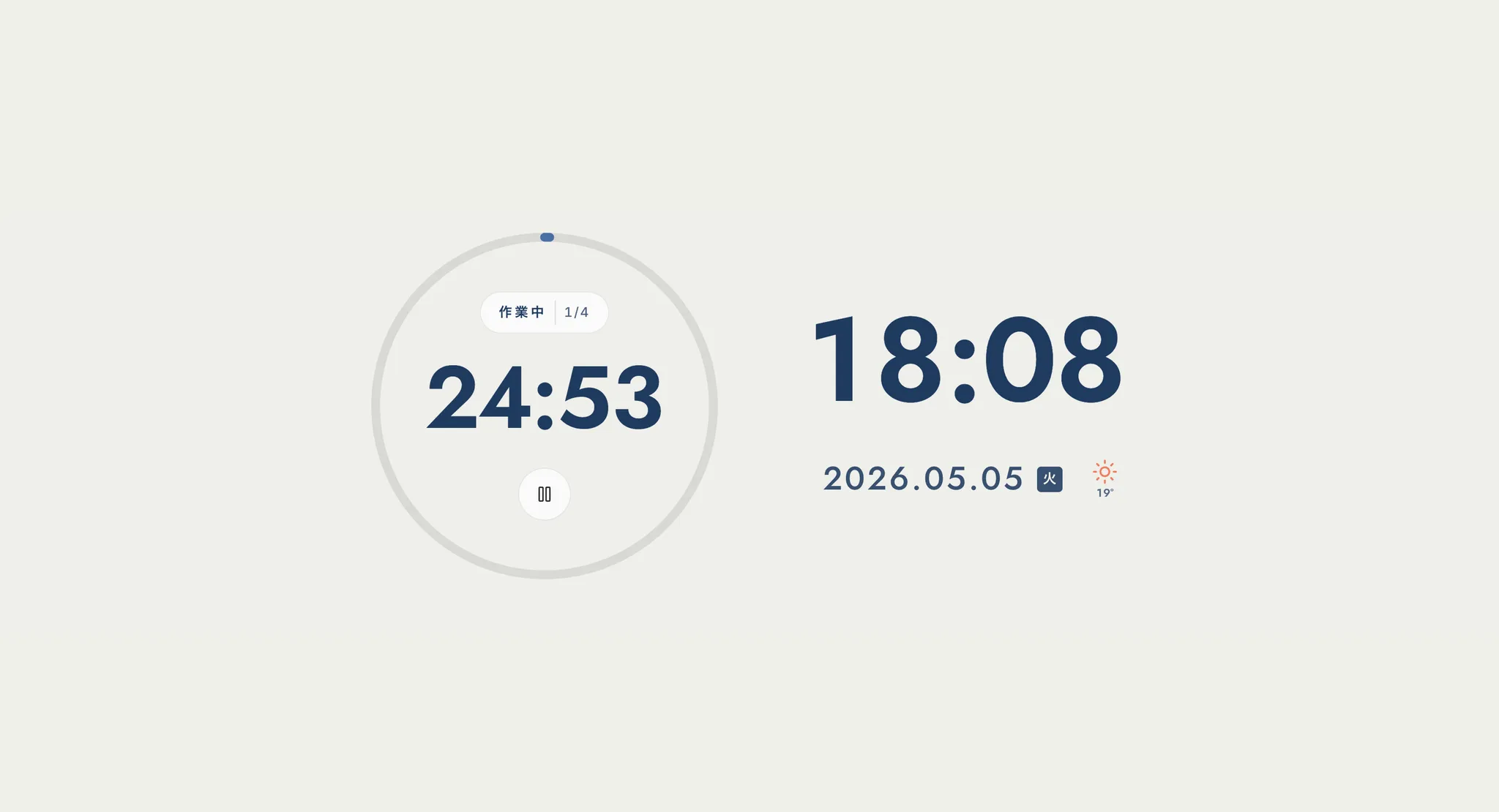
Twenty-five minutes of focus, five minutes of rest, four times, then a fifteen-minute long break. The classic Pomodoro Technique, entirely inside your browser. Work length, break length, cycle count and alert sound are all adjustable. The timer keeps running even when you switch to another tab, and calls you back with a browser notification and a sound when it finishes.
3. Backgrounds — colors, photos, video, or your own image
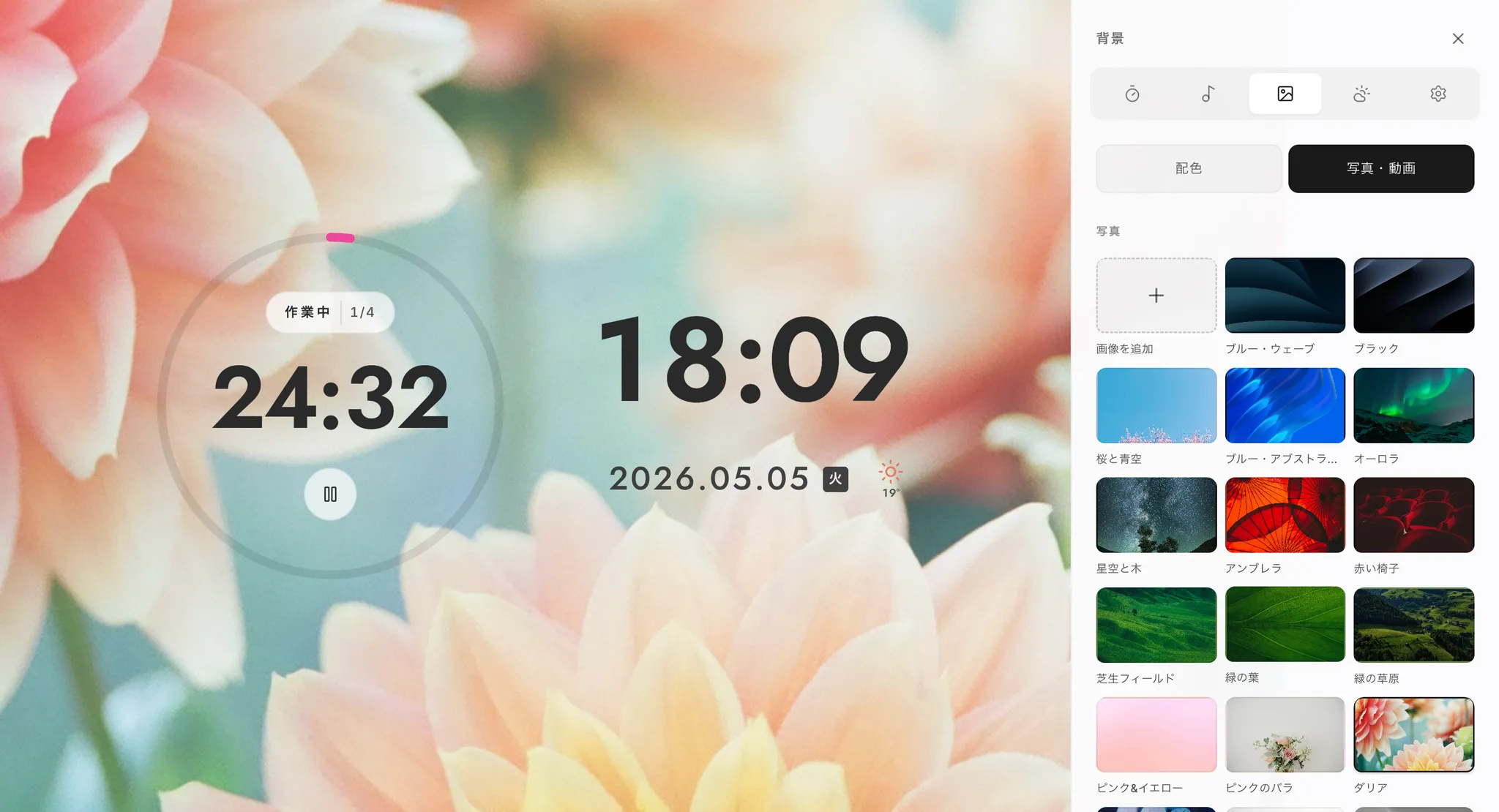
"A view I can focus in" means something different to everyone. So the default is a three-color scheme (background, text, accent) that reshuffles automatically at the top of every hour. Change your mind and you can switch to a photo or video preset, or upload your own favorite image as the background. Make the time you spend in front of the screen look like something you love. That alone changes how it feels to sit down.
4. Focus BGM and ambient sound — presets, or your own YouTube
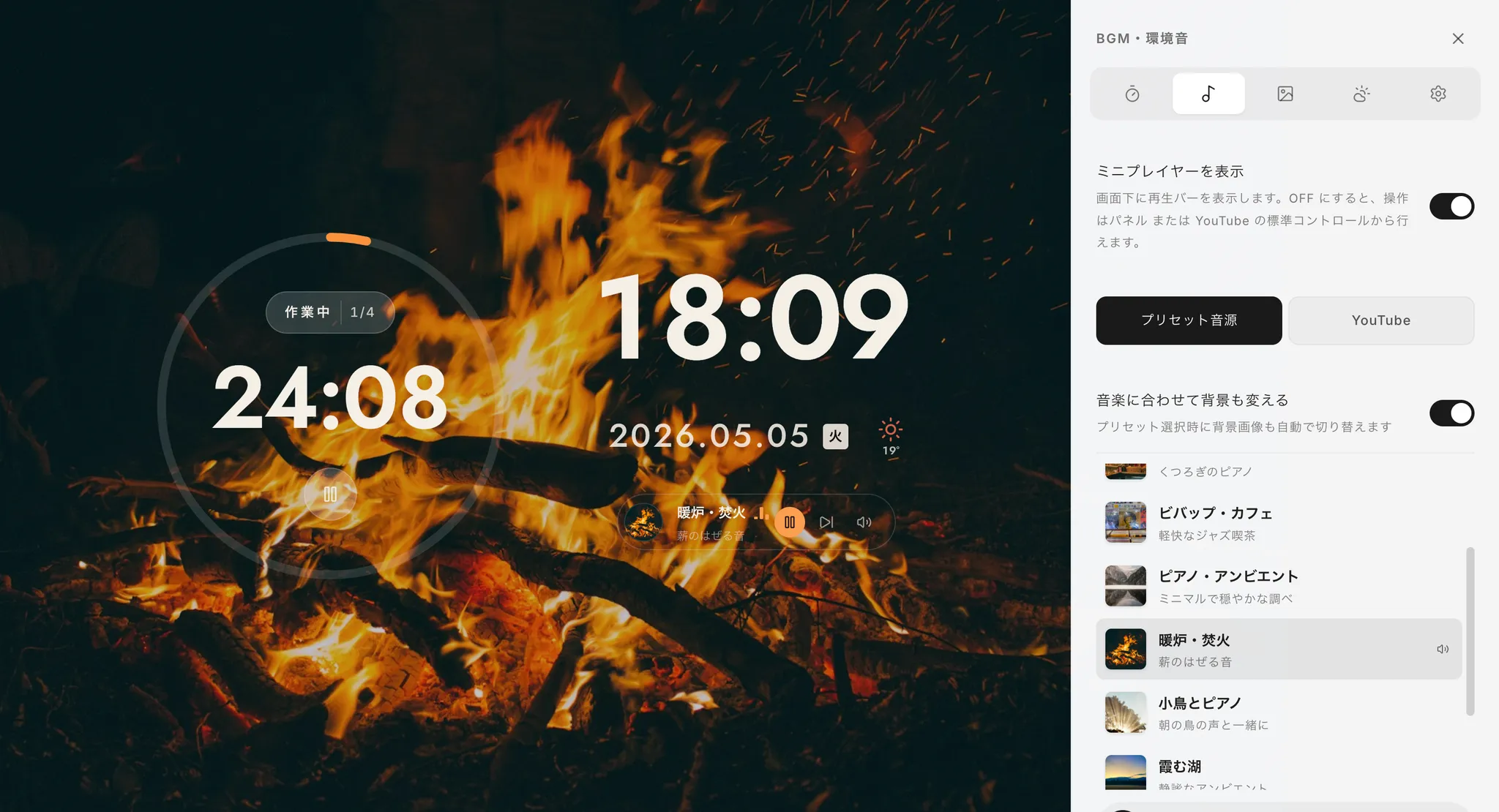
People tend to be particular about what they work to, so alongside a set of focus-friendly presets, you can paste the URL of any YouTube video or playlist and use it as your BGM. Playback runs through YouTube's official IFrame Player API, so it stays properly within their terms.
5. Watch a video without losing your focus
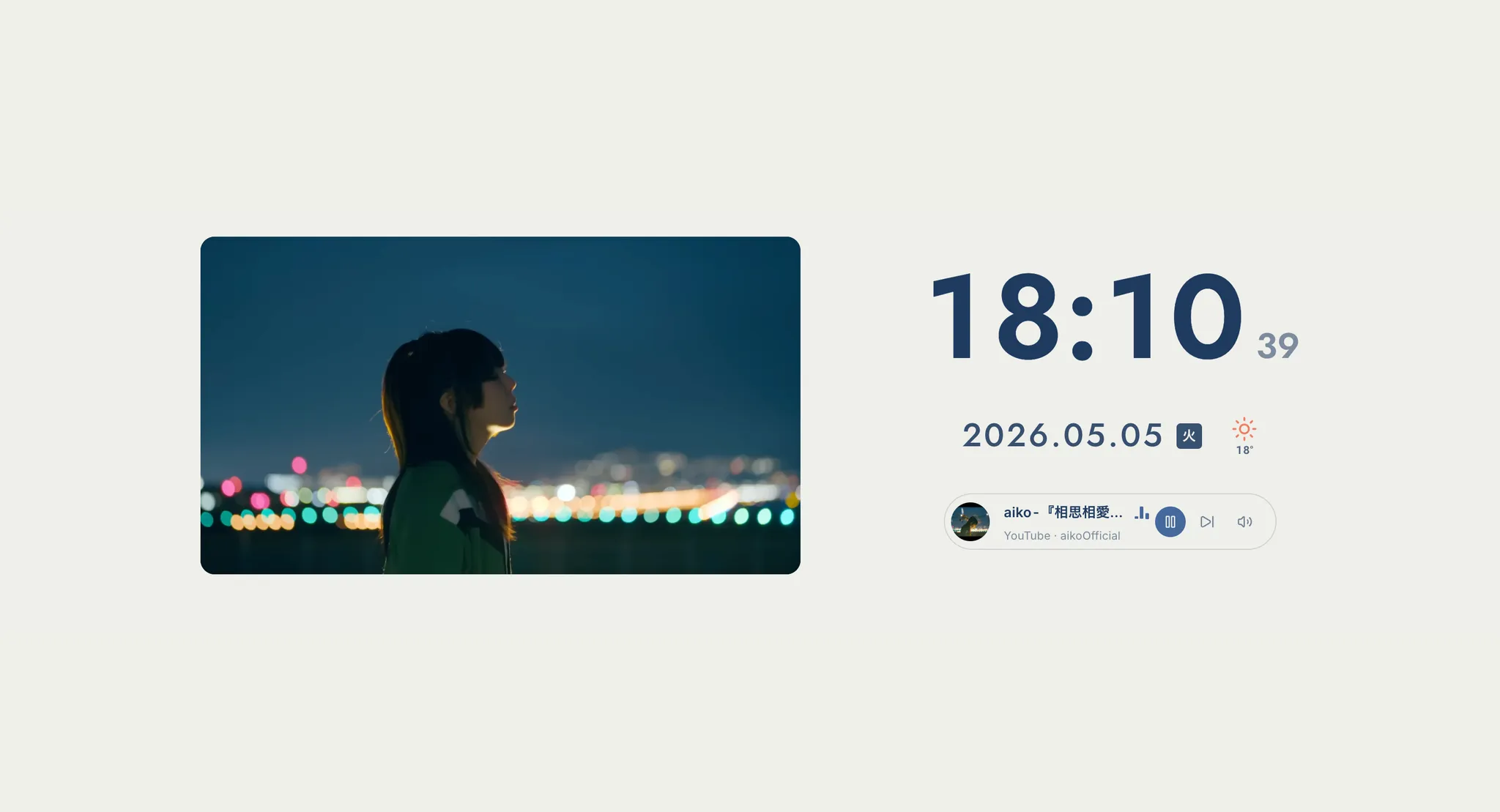
"I want a video on in the background" — but open YouTube and the recommendations and comments take your attention immediately. I doubt I am the only one. In Pomo Clock, the video simply plays in the center player: no suggestions, no sidebar. The video runs, and the only things in your field of view are the clock and the date. That was the state I wanted to get back.
6. Weather, world clock, calendar, typefaces and language
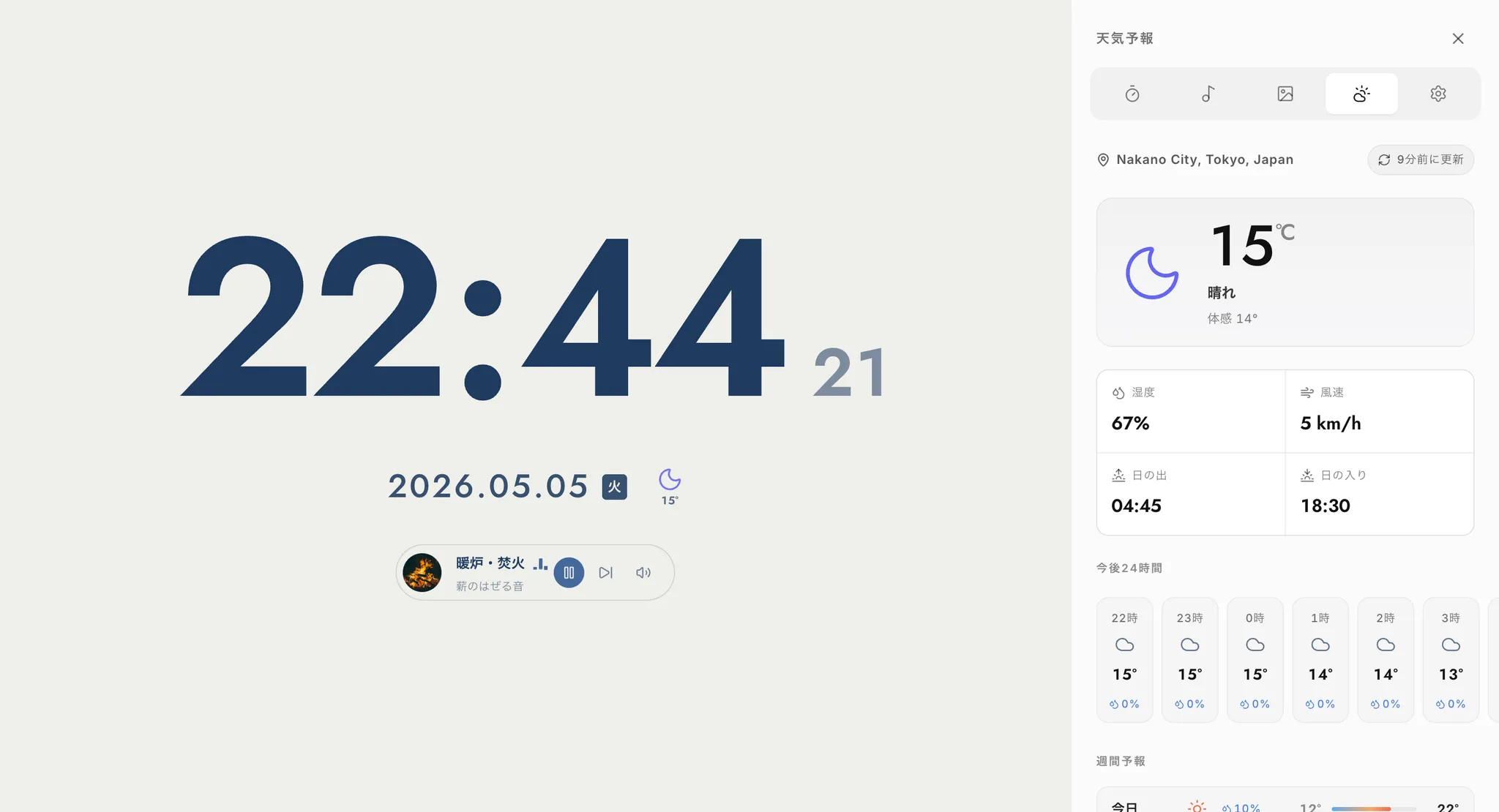
While building it there was exactly one moment when I still wanted to switch to another app: checking the weather forecast. So I put that inside as well. Using public weather APIs, you get a full week's forecast right in the panel. There is also a world clock with timezone switching, a calendar with Japanese public holidays color-coded, and Japanese / English language switching. "You never have to leave this screen" was the quiet goal throughout.
No login, no sign-up — your data stays in your browser
Pomo Clock has no login and no account registration. Your settings, uploaded images and study records all live only in your own browser. Nothing is sent to our servers. That is exactly why you can open it casually and close it casually.
On Chrome or Edge, use "Install app" at the right of the address bar; on iPhone or iPad, use Safari's share button and "Add to Home Screen". It then launches as a standalone Pomo Clock app. Standing an unused iPad or an old iPhone on a charging dock and turning it into a good-looking desk clock — the thing I wanted most — works exactly like this.
What is left on the human side, in an age of AI
From here on, AI is going to take over more and more of the work people do. And AI, unlike me, does not get distracted by its phone mid-task. It does not slack off, it does not complain, its concentration never breaks. Looked at coldly, that is hard to compete with.
Which is why I believe what will be asked of us — our character, our willingness to keep learning, our ability to concentrate, and our ideas — matters more than ever. The more that can be handed to AI, the more the only remaining difference is what a person has thought about and built up.
Pomo Clock is meant to be a small tool for sharpening yourself in that kind of era. To not lose to AI, start by making today's one hour genuinely yours. That is what this single screen is for.
A lot of people are using it now
When we first released it, my honest feeling was something like "as long as I can use it every day, that's enough."
Today, roughly tens of thousands of people a month use Pomo Clock, with around 1,500 people on any given day, and the numbers are still climbing. It is still slightly surreal that something which started from my own laziness now sits on so many other people's desks.
We also added a feature request form recently, and about five messages a day now arrive through it.
Your messages keep me going
The feature requests themselves are genuinely helpful. But more than that, you can see a person's effort in every one of them.
From students preparing for entrance exams, to working adults, to people writing from outside Japan. This many people are concentrating, day after day, to make themselves better. Reading those messages every morning honestly rubs off on me.
Building the strongest clock together, like a Spirit Bomb
This app began as "the clock with everything I personally wanted in it." It is quietly becoming something else.
My own perspective obviously has limits. The requests that arrive, on the other hand, are full of uses and wishes I would never have thought of. So why not gather my "I want this" and everyone else's "I want this", and build them out one at a time? Like a Spirit Bomb, made of everyone's energy at once. I cannot think of anything more fun to work on.
To be honest, we will not be able to deliver every single request. Some are impossible under another service's terms, some are technically too heavy, and some are simply slow because we do not have enough hands. Even so, every message is read, and every one of them feeds into what we decide to build next.
"This part is hard to use," "I wish it could do this," "I ran into this bug" — anything, however small, is welcome. Use the "About this app" panel behind the "?" icon inside Pomo Clock, or the form below.
Send a feature request or feedback about Pomo Clock (takes about 30 seconds)
Where Pomo Clock goes next
Based on what you have sent us and what we want to build, here is what is coming.
- Proper app distribution on the App Store and Google Play (a clearer path than today's "Add to Home Screen")
- More music options (continuous playlist playback, additional supported services where terms allow)
- Better study records (color-coding by subject, study plans, review views)
- Smarter notifications (a warning tone before a break ends, clearer hourly chimes)
- Business-oriented features such as deeper Google Calendar integration, and a hub that brings your work and study tools together
An honest note about money: as more people use it, our server costs have been growing, and to keep the service running we are considering making some features paid in the future.
The one thing we will absolutely protect is that Pomo Clock stays fully usable for free. A student who cannot afford a subscription losing access is the outcome we least want. If a paid plan ever arrives, it will only come after we have built something worth paying for — the kind of service you would want to support.
More useful, more capable, and more genuinely helpful in your day. That is what we will keep working toward.
Finally: about Mihata
A short word about Mihata, the team behind Pomo Clock.
Day to day, we combine web development and AI engineering to translate what our clients want into something that actually runs.
- Website and web app development (from interviews through design to implementation)
- Custom AI development (internal knowledge AI, customer-facing AI, LLM chatbots)
- AI adoption support (embedding AI into internal operations and designing how it is run)
- AI blog generation and operation (semi-automating content marketing with AI)
Because we spend most of our time building other people's products, we wanted to build one of our own, properly, at least once — that is part of why Pomo Clock exists. It was also our way of proving two things.
- In this new era with AI, the app or the dream you imagine can, in principle, be built.
- And even so, it becomes far more refined when design and engineering specialists are the ones wielding AI as a tool.
AI is not magic. It is a new instrument in the same line as the calculator, the spreadsheet and the PC. So we aim to be specialists in this new AI era while remaining specialists in design and engineering. Stand on your own two feet first, then put AI on top of that. What comes out the other side has a resolution that AI alone cannot produce.
Pomo Clock is also the clearest sample of what Mihata can build. If you have an idea — even at the "could AI actually do this?" stage — please get in touch. Only you know the fine-grained needs of your own industry. We would love to hear about them.
Thank you for reading this far. Pomo Clock will keep being refined by its heaviest user, every single day. If this app manages to be a companion for even a small part of your day, nothing would make us happier.
If you want to try angles beyond Pomodoro, see also practical techniques for improving concentration.