
A Pomodoro is simply a 25 minute block followed by a short break, so the fastest way in is to open each interval directly: the 25 minute timer for the work interval and the 5 minute timer for the break. Both open in the browser already set, with nothing to install.
"Free Browser Pomodoro Timer": The Shortest Path to Reclaiming Focus
When you find your focus slipping during remote work or study, the easiest time-management technique that actually works is the Pomodoro Technique. Just alternating 25 minutes of work with 5 minutes of rest noticeably reduces mental fatigue. The catch is that installing a dedicated app or signing up for a paid plan is friction. So in this article, we lay out what to look for when choosing a free Pomodoro timer that runs in your browser, along with the correct history and practice of the Pomodoro Technique.
Bottom line up front: a browser-based Pomodoro timer is just as comfortable to use as a desktop app, as long as it satisfies three things—"keeps running when you switch tabs," "plays a notification sound," and "is customizable." Mid-article, we'll also introduce the Pomodoro feature in Mihata's Focus Clock.
The Correct History and Source of the Pomodoro Technique
The Pomodoro Technique was created in the late 1980s by Italian developer Francesco Cirillo when he was a student. The name comes from the tomato-shaped (pomodoro in Italian) kitchen timer he used at the time. Cirillo later codified the approach as a consultant and spread it worldwide through his book "The Pomodoro Technique." A Japanese translation has been published, and reading the original makes clear that this is far more than "just chunk things into 25 minutes."
"Dealing with Interruptions" and the 25/5/15 Base Cycle
People often think "Pomodoro = chop everything into 25-minute blocks," but the original text emphasizes "how to deal with interruptions" rather than time per se. Once a Pomodoro (25 minutes) starts, both internal interruptions (stray thoughts, side ideas) and external ones (someone calling out to you, notifications) must be parked on a separate sheet of paper, and the 25-minute block must be completed. If you don't finish, that Pomodoro is "void" and not counted. This strictness is what makes the quality of your focus visible.
A standard day looks like this. After running four "25-min, 5-min" timer sets, take a longer break.
- Plan: List today's tasks and assign an estimate of Pomodoros (◯ each)
- Focus: One Pomodoro = 25 minutes; until the timer rings, work only on the target task
- Short break: For 5 minutes, get away from the screen, stand up, drink water, breathe deeply
- After 4 Pomodoros: Take a 15–30-minute long break to fully reset the brain
- Record and reflect: At the end of the day, compare your estimates against actuals and feed the result into tomorrow's plan
This loop—plan → focus → record → reflect—is the heart of the Pomodoro Technique. The timer is just a means, but it's a powerful device for keeping the loop going.
Why "Browser" Pomodoro Timers Are the Choice Today
Once upon a time, "Pomodoro timer" meant a dedicated desktop or smartphone app. In recent years, though, install-free Pomodoro—web apps that launch instantly in a browser—has been gaining popularity. Here's why.
- You can't install apps on a work PC: Many people work under security policies that forbid installing arbitrary apps on company hardware. With a browser version, you just open a URL—no IT-department approval needed.
- Same environment across devices: Mac at home, Windows at the office, Chromebook on the go—anywhere a browser exists, you get the same screen. If settings are stored in local storage, your favorite 25/5 setup is recalled instantly on each device you frequent.
- PWA support makes it feel like a native app: More browser-based timers now support PWA (Progressive Web App), so adding the app to your home screen or Dock launches it in its own window. The look and feel match a native app, but because the underlying app is on the web, uninstalling is as simple as deleting a bookmark.
- Updates are instant: With the browser version, fixes and new features always reach the user as the latest version. There's no update process to worry about.
Convenience aside, browser-based timers have their own pitfalls—"the timer stops when you switch tabs," "no notifications fire." We'll go through a checklist next.
A Checklist for Choosing a Browser-Based Pomodoro Timer
There are countless browser-based Pomodoro timers, but quality varies widely. Whether you'll keep using it long-term comes down to whether the tool meets the checklist below.
Check item | What to verify | Why it matters |
|---|---|---|
Background operation | Does the timer stay accurate when you switch tabs or minimize? | Most browsers throttle JavaScript on inactive tabs, so an implementation using a Web Worker is needed |
Notifications | Do you get a browser notification and a sound, with a permission prompt? | You'll notice a session ending even when you're not looking at the screen. Sound or notification alone risks being missed |
Customization | Can work, short break, and long break be set in 1-minute increments? | 25/5/15 is just the standard. The optimal allocation differs by personality |
Privacy | No login required? Data not sent to the cloud? | If you enter work-task names, local-only storage is reassuring |
Free / paid | Are key features free? How frequent are the ads? | You'll use this every day, so stress-free continued use is the deciding factor |
Supported OS / browsers | Does it run on Chrome, Edge, Safari, and Firefox? Does it work on mobile? | Same UI on a phone while you're out makes habit-formation easier |
The most overlooked item is the top one: how the Pomodoro behaves when you switch tabs. In real work—researching while writing, coding while watching Slack—the timer must keep running in another tab. If it stalls or drifts, you'll suddenly notice "30 minutes already passed," and the whole point of Pomodoro collapses. Next most important is Pomodoro with notifications. Whether you're alerted by sound and a notification banner at the end of 25 minutes—even when you're not looking at the screen—has a bigger impact on the experience than people expect.
On privacy, tools that require linking a Google account or signing up are riskier than tools that store everything locally—especially if you'll be entering work-related task names. Whether ads exist and how restrictive the free plan is also matter; you'll be using this every day.
Mihata "Focus Clock": Pomodoro Implementation and Highlights
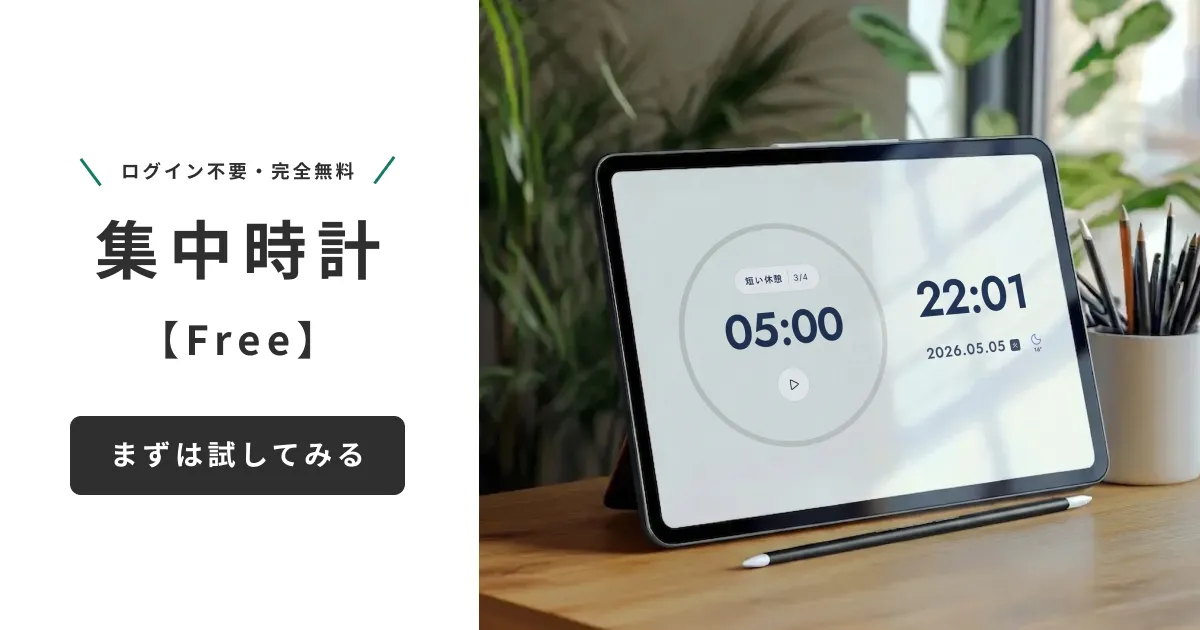
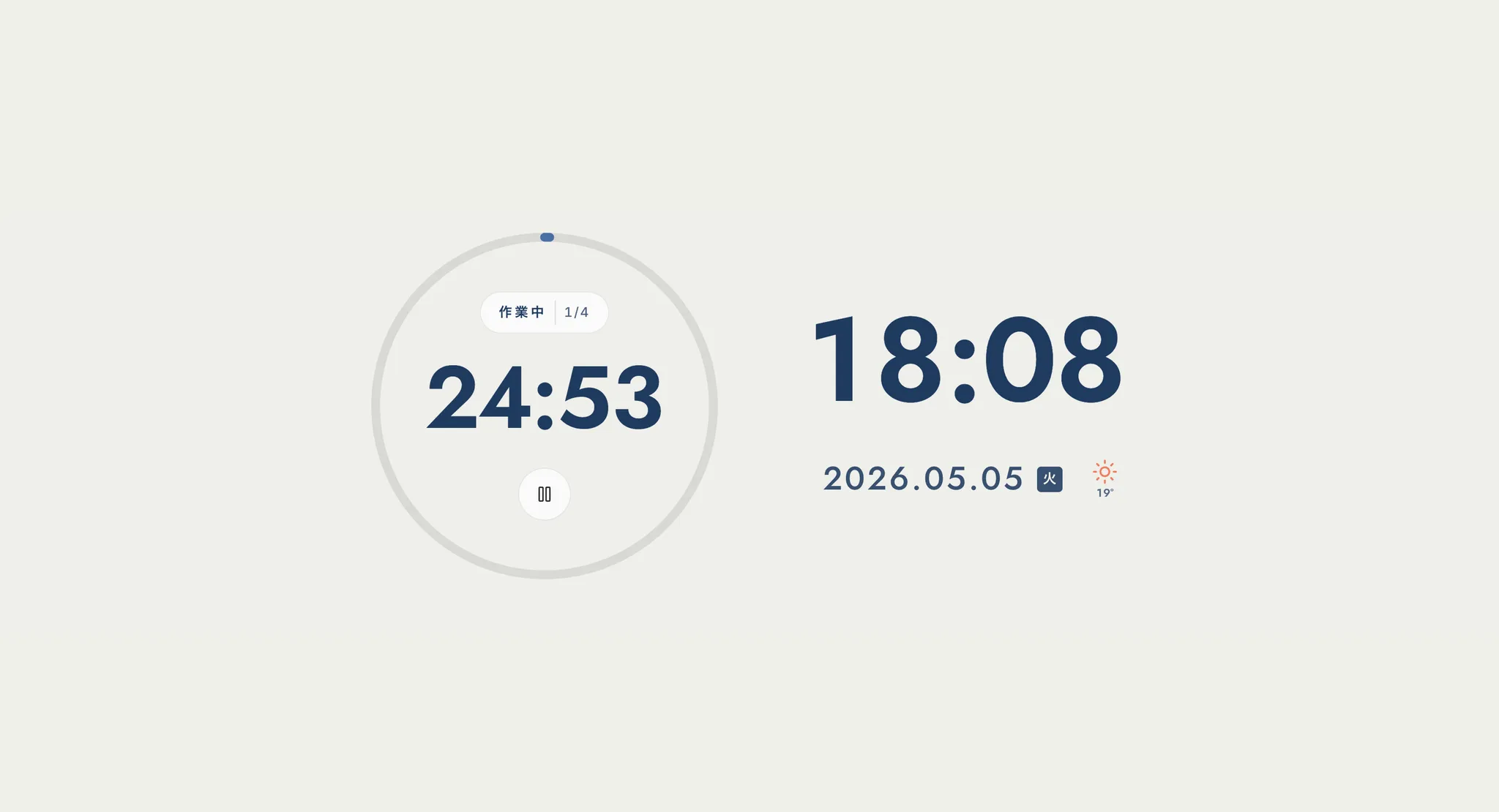
Which brings us to Focus Clock's timer mode, the free web app run by Mihata. Completely free, ad-free, no login, no install—just open the URL. It's designed to satisfy all six checklist items above naturally.
Web Worker Keeps It Accurate Even When the Tab Is Inactive
Focus Clock's Pomodoro manages the countdown in a Web Worker, not on the main thread. This makes it largely immune to the throttling browsers apply to inactive-tab timers, so the remaining time stays accurate even while you work in another tab. When time's up, both a browser notification and a sound fire, so you'll notice even when you're away from the screen. For remote workers who switch tabs constantly, or for people running multiple monitors with reference and editor side by side, this is a small detail with a big payoff.
1-Minute Customization + 12 Backgrounds + BGM + PWA
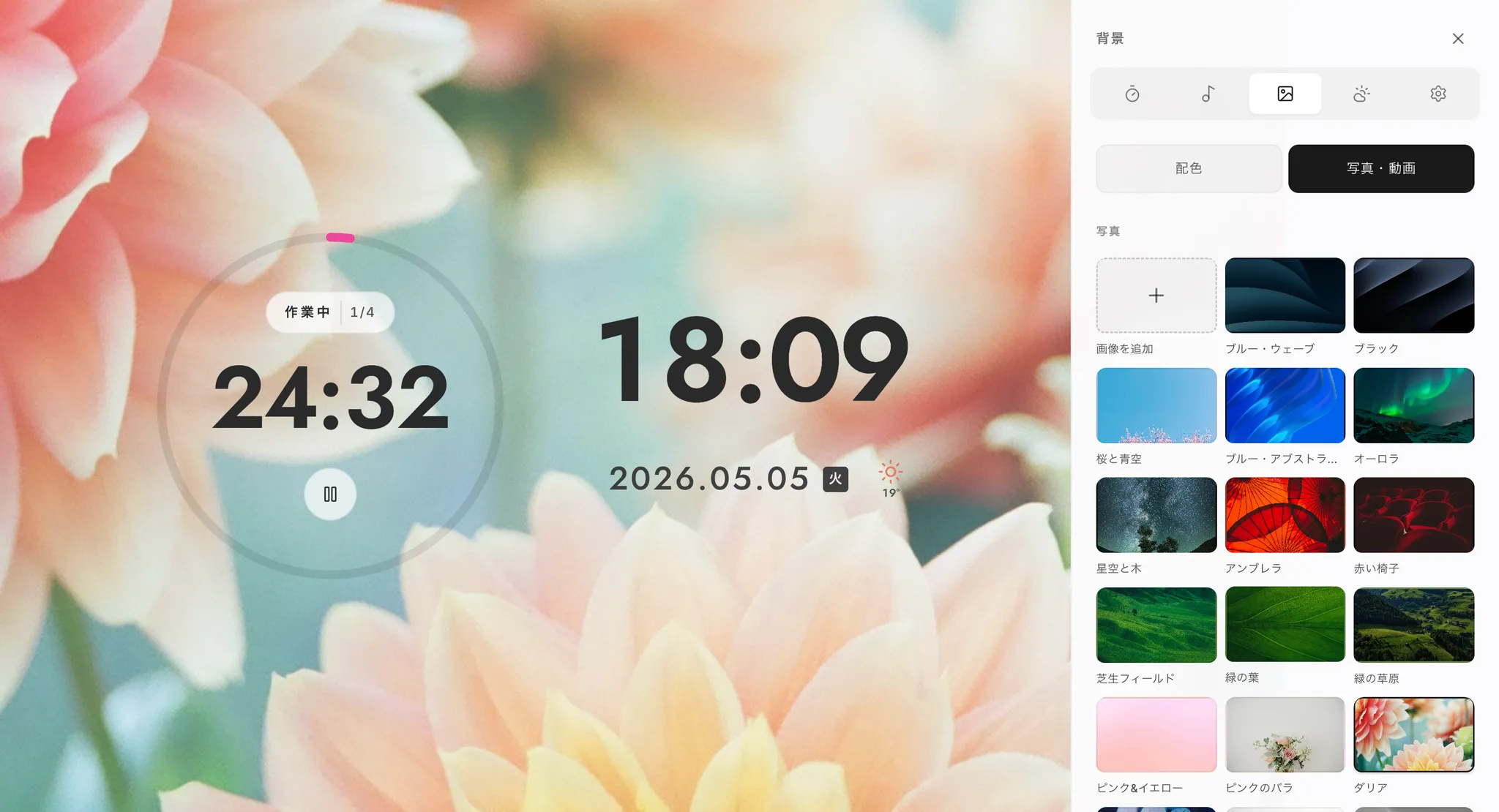
The default is 25/5/15 minutes (long break every four Pomodoros), but the settings panel lets you change each in 1-minute increments. If you sustain deep focus, try 50/10; if you're new to it, try 15/3—tune it to your own focus curve. Settings are saved to local storage, so they persist on your next visit. Focus Clock also includes 12 stylish background presets and a built-in work BGM, letting you build a cafe-like environment alongside your Pomodoro. Full-screen mode is supported, and adding it as a PWA to your home screen or Dock launches it in its own window. With no ads and no sign-up, you can drop straight into focus.
Putting It Into Practice: Daily Pomodoro Templates and Tips for Sticking with It
Picking a tool isn't enough—if your routine isn't set, you won't continue. Here are templates for remote workers, students, and working adults with a side hustle, plus tips for making it a habit.
For remote workers, four Pomodoros in the morning + four in the afternoon is a solid base rhythm; everything else goes to admin tasks. A concrete example:
- 9:00 Plan: Write down today's tasks and assign Pomodoro estimates to each
- 9:15–11:15 Morning session: 25/5 four times, ending with a 15-minute long break
- 13:00–15:00 Afternoon session: 25/5 four times, ending with a 15-minute long break
- 15:30 onward Light work: Email replies, admin, and other low-focus tasks
- 17:30 Reflection: Compare estimates with actuals, feed into tomorrow's plan
For students or working adults with a side hustle, two evening sessions are realistic. Try two blocks—20:15–22:15 and 22:30–24:30—aiming for 6–8 Pomodoros total. Don't force-count a Pomodoro you didn't finish; that fidelity to the original method is the trick. Treating interrupted Pomodoros as "void" and starting fresh from the next one makes you more attuned to changes in your own focus.
Three Tips for Continuing
Whether Pomodoro becomes a habit comes down to the first two weeks. Three practical tips to avoid quitting:
- Start with "3 Pomodoros / day" for the first week: Aiming for 8 right away usually outpaces your focus stamina, and you quit out of frustration. Start with three completed sessions a day.
- Estimate tasks in "Pomodoro units": Writing "Slide deck (3 Pomodoros)" instead of just "Slide deck" sharpens estimation accuracy and stabilizes your plan.
- Don't look at your phone during breaks: Opening social media during a 5-minute short break stops the brain from refreshing. Standing up, drinking water, looking out the window—non-digital actions are what restore focus.
These tips compound when paired with a browser-based Pomodoro timer. The reassuring sight of the timer ticking in the corner of your vision becomes a deterrent against reaching for distractions.
FAQ and a Wrap-Up to Get You Started Today
Finally, let's address common questions about browser-based Pomodoro timers and recap. Cover four basics—tab switching, notifications, mobile, and BGM—and you'll never have to agonize over your choice again.
Is the notification sound delayed when I switch tabs? A very common complaint. Many browsers throttle JavaScript execution on inactive tabs, so tools strong on tab-switching Pomodoro behavior typically split the countdown into another thread via a Web Worker—check before choosing. Notifications don't fire: It's possible you blocked the permission dialog the first time you visited. Click the lock icon next to the URL bar, reset the per-site notification setting, and re-allow. Does it work on mobile? Since this is a browser version, it works on iPhone and Android. PWA-supporting tools can be added to the home screen and run like an app. Note that on phones, the timer can pause when the screen is locked, so for long sessions we recommend the PC browser. Focus BGM: Use the built-in Pomodoro timer and you don't have to sync with a separate app.
The Pomodoro Technique is "a time-management practice for dealing with interruptions," codified by Francesco Cirillo. The essence isn't the 25/5/15 rhythm—it's continuing the loop of plan → focus → record → reflect. With a free browser-based Pomodoro timer, you can start the habit right now—no install, no login. Six things to look for: tab-switching background operation, notifications, customization, privacy, free / ad-free, supported OS / browsers. Tools that satisfy these will serve you daily with no compromise versus a desktop app. Mihata's Focus Clock is a free web app with accurate Web Worker-based background operation, browser notifications + sound, 12 backgrounds, work BGM, and PWA support. Starting with today's work, give it one Pomodoro.
To hear why we built Focus Clock and the philosophy behind each feature, in the developer's own words, please also read our development story.