
"I'm at home, but somehow nothing gets done." Anyone a few months into remote work has hit this wall. Tasks you used to power through at the office get swallowed by social media, chores, or naps the moment you try them at home. The cause is almost never weak willpower—it is the absence of environment design. This article looks at remote-work focus through Mihata's lens, organized around four axes: physical, audio, time, and visual. Along the way we cover how to use the browser-based Focus Clock to set up a concentration environment without installing anything.
Why It's So Hard to Focus at Home
If you can't focus at home, it isn't because you're lazy. The structural support for concentration is simply different at the office and at home. Let's start by understanding the underlying reason productivity drops in a home setting.
The "External Discipline" of the Office Disappears
In an office, the gaze of your manager and colleagues, fixed start times, and the keyboard noise next to you all push you into "work mode" by default. At home, that external discipline is gone. Nobody is watching, you can start whenever you want, and there is a bed within reach. That degree of freedom is the single biggest reason your focus collapses.
In other words, in remote work, you have to make the environment do what the office used to do for you. That is what we mean by "environment design as willpower-saving."
Willpower Is Finite—Spend the Environment Instead
Psychology generally treats willpower as a finite resource you can deplete in a day. Every time you decide "let me clear the desk," "let me close that tab," or "let me sit up straight," you are burning willpower on a decision. If your environment quietly forces these things in advance, your willpower stays available for the actual work decisions where it matters.
Break Your Home Setup Into Four Axes
Environment design is much easier to think about when you split it into the four axes below. The rest of this article works through them in this order.
- Physical environment: desk, chair, lighting, what's in your line of sight
- Audio environment: ambient noise, family voices, BGM, silence
- Time environment: start/end times, breaks, Pomodoro-style rhythms
- Visual environment: clocks, timers, desktop wallpaper, notifications
A Quick "Why Can't I Focus" Checklist
Before diving in, identify which axis of your home setup is weakest. The more boxes you tick on a single axis, the higher the priority for fixing it. As a rule of thumb, if any axis has two or more matches, fix it the same day. Three or more, fix it first.
Physical environment check
- You eat and work at the same table
- You're still using a dining chair or sofa
- Your bed, TV, or laundry is in your line of sight
- The room is dim, or a single ceiling light leaves harsh shadows
- Hobby items or unopened mail live permanently on your desk
Audio environment check
- You constantly hear family or roommates
- Total silence actually unsettles you
- YouTube or TV plays in the background
- You play songs with lyrics and end up following the words
Time environment check
- Your start time varies day to day
- You suddenly notice you've been working two or three hours non-stop
- Or, you're checking your phone every five minutes
- You have no fixed end time and drift into late-night work
Visual environment check
- There is no clock in your line of sight, so you lose track of time
- Slack and email banner notifications are always popping up
- You have 20+ tabs open
- Your desktop wallpaper is busy and distracting
Physical Environment: Desk, Chair, Lighting, Line of Sight
The physical environment delivers the highest return on the investment. Get this right, and your concentration becomes remarkably steady.
Carve Out at Least One Square Meter for "Work Only"
A dedicated workroom is ideal, but a studio apartment is fine too. What matters is choosing a single spot that your brain learns to associate with work. Even a kitchen table works if you place a work-only placemat on it to mark a clear boundary. The brain is surprisingly simple: with repetition, it ties "this spot" to "focus mode."
Don't Cut Corners on Chair and Lighting
For most people who get tired working from home, the culprits are posture and brightness. At minimum, get an office chair in the ¥10,000+ range; if you can stretch, a used Aeron or Ergohuman is worth hunting for. On lighting, adding a single desk lamp visibly changes how long you can concentrate. Once your desk surface hits about 500 lux or more, drowsiness and shoulder pain drop noticeably.
Keep "Non-Work" Out of Your Line of Sight
Check whether your bed or a stack of laundry is directly in front of you while you work. If it is, block the view with a partition, a tall plant, or a bookshelf. Just removing private-life objects from sight cuts the frequency of stray thoughts dramatically.
All Four Axes at a Glance
Before going deeper, here is the full picture: typical problems, fixes, and rough cost across all four axes. Tackle the axis where you're weakest first.
Axis | Typical problem | Fix | Rough cost |
|---|---|---|---|
Physical | Lower-back pain from a dining chair | Replace with an office chair | ¥15,000–¥100,000 |
Physical | Desk too dim, eye strain | Add a desk lamp | ¥3,000–¥20,000 |
Physical | Bed/laundry visible | Block view with partition or plant | ¥3,000–¥20,000 |
Audio | Distracted by family noise | Noise-cancelling earphones | ¥15,000–¥40,000 |
Audio | Total silence feels uneasy | Lyric-free BGM or ambient sound | Free (web app) |
Time | Marathon sessions cause burnout | Adopt Pomodoro (25 min + 5 min) | Free |
Time | Inconsistent start/end times | Set a daily "ritual" at fixed times | Free |
Visual | You lose track of time | Keep a large clock in view | ¥0–¥3,000 |
Visual | Notification banners break focus | Use OS focus / DND mode | Free |
Notice how most of the audio, time, and visual fixes cost nothing. Only the physical axis really requires upfront spending. The rest is software, rules, and habit.
Audio Environment: BGM vs. Silence
The audio environment is often underestimated. Family noise, the doorbell, construction down the street—these all hit you exactly when you're trying to focus for "just a short stretch."
Choosing BGM by Task
Match BGM to the task. For language-heavy work like writing or reading code, lyrics steal cognitive bandwidth. Lyric-free Lo-fi, ambient music, nature sounds, or coffee-shop white noise are the safe options. For repetitive admin work, by contrast, music you actually like can lift your energy and speed.
Who Silence Works For—and Who It Doesn't
Silence is often associated with high focus, but in reality plenty of people find that absolute quiet makes small ambient noises stand out more. The fridge motor, the AC fan, a neighbor's footsteps—silence amplifies all of them. If you're someone who concentrates better with a thin layer of BGM masking household noise, don't force yourself into silence.
Build "Variety" Into Your Audio Layer
If you play the same BGM for hours, your brain reclassifies it as background and the freshness wears off. Switch playlists every hour, or rotate between several. Mihata's Focus Clock layers this idea across three dimensions—the clock face, the background, and the BGM—so it doesn't go stale.
Time Environment: A Practical On-Ramp to Pomodoro
The time axis is high-impact at zero cost. The classic move is the Pomodoro technique: a session is 25 minutes of focus plus 5 minutes of break, with a longer rest after every fourth session.
Start With Three Sessions, Not Eight
The most common reason people abandon Pomodoro is that they aim for eight sessions a day from day one. Twenty-five minutes times eight is 3 hours and 20 minutes of pure focus—your stamina simply won't take it if you aren't used to it. For the first week, start with three sessions a day: two in the morning and one in the afternoon is plenty.
- In the morning, when you sit down, commit out loud to just the first session
- Start a 25-minute timer; close Slack and email for the duration
- During the 5-minute break, stand up, drink water, look out the window
- Add one or two more sessions in the afternoon
- Once it feels natural, gradually expand to five or six sessions a day
What NOT to Do During Breaks
If you check social media during the 5-minute break, you'll almost always extend it to "just five more minutes" and the break collapses. The non-negotiable rule is that your eyes leave the screen. Pick one move and make it a rule: stand up, drink water, stretch, or look out the window.
Pick a Timer That Stays in Your Field of View
Phone timers are a poor fit for Pomodoro because the time is hidden until the alarm goes off. Choose a timer where the remaining time is always visible. The corner of your PC screen, a second monitor, or a phone propped on a stand as a dedicated timer—any format works as long as you can see it without thinking.
Visual Environment: Redesign the Clock, Notifications, and Background
Visual environment is the most overlooked area among remote workers, but tuning it visibly changes the shape of your daily productivity curve.
Make Sure the Clock Is Always Visible
The single most common accident in remote work is losing track of time. You suddenly realize you've been at the desk three hours straight, or you forgot lunch, or it's 2 a.m.—all easy to do when there's no clock in your line of sight. If you have a second monitor, the simplest fix is parking a full-screen browser clock on it.
Design So Notifications "Don't Arrive"
Slack, email, LINE, social media, news. Each banner notification is said to cost roughly 23 minutes of focus on average. Use your OS focus mode (macOS Focus, Windows Do Not Disturb) so that everything outside work is fully silenced during work hours. Set a Slack DND window too.
Refresh the Background to Reset Visual Fatigue
Looking at the same wallpaper and the same browser layout every day drains visual stimulus and dulls your concentration. Even just rotating wallpapers or browser themes regularly creates a mini "I've moved to a new place" feeling. Mihata's Focus Clock has a built-in feature that auto-shuffles the background every hour, so visual freshness stays intact without manual effort.
Mihata's "Focus Clock": Three Axes on a Single Screen
We've covered four axes so far, but managing the audio, time, and visual axes through three different apps creates its own form of distraction. Open the BGM app, open the timer app, glance at the clock—each context switch chips away at concentration.
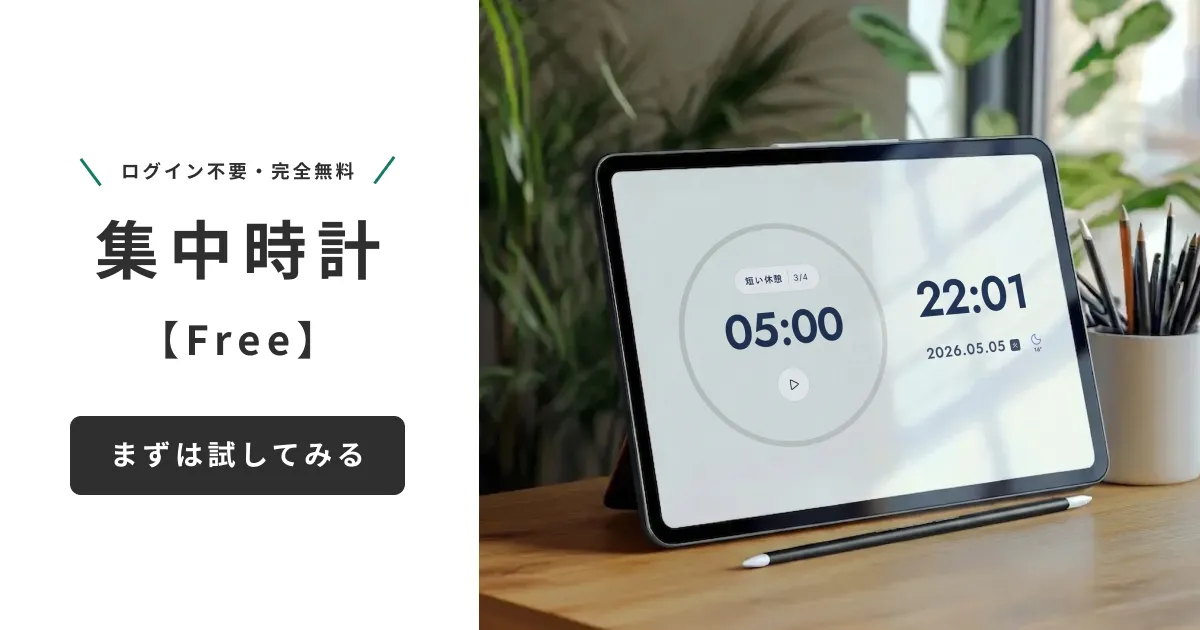
Visual x Time x Audio in One Place
Mihata's Focus Clock is a browser app that bundles a large clock, a Pomodoro timer, work-focused BGM, and stylish backgrounds into a single screen. No install, no login, no ads, fully free. Switch to fullscreen and you instantly have a "concentration-only window."
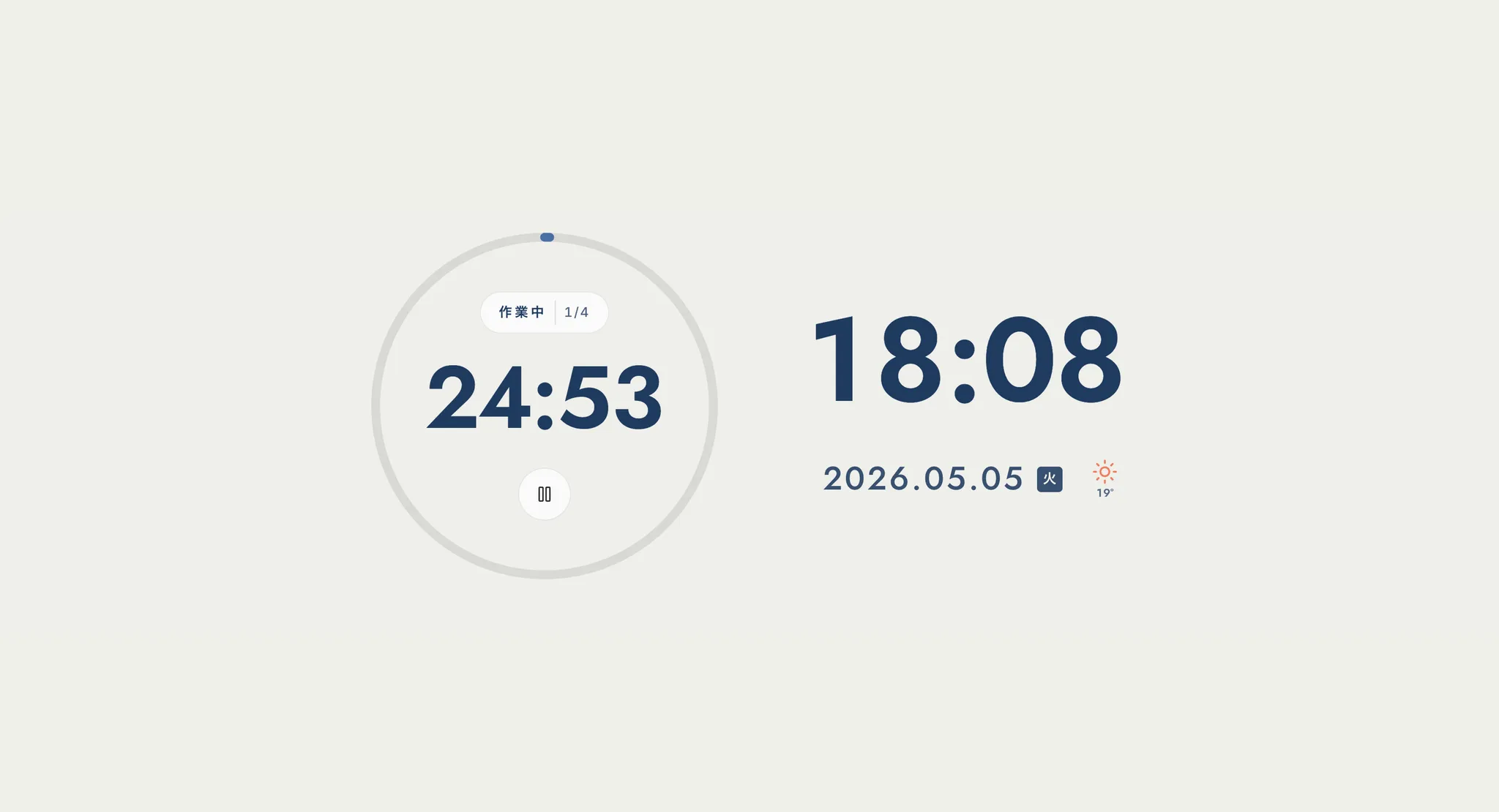
A Second Display Is the Most Effective Setup
The most effective way to use it is to park the Focus Clock on a second display (or an old iPad or smartphone). Use your main screen for actual work and dedicate the secondary screen to the clock, timer, and BGM. With "focus mode" living at the edge of your vision, you keep your sense of time, never miss a break, and let BGM mask household noise.
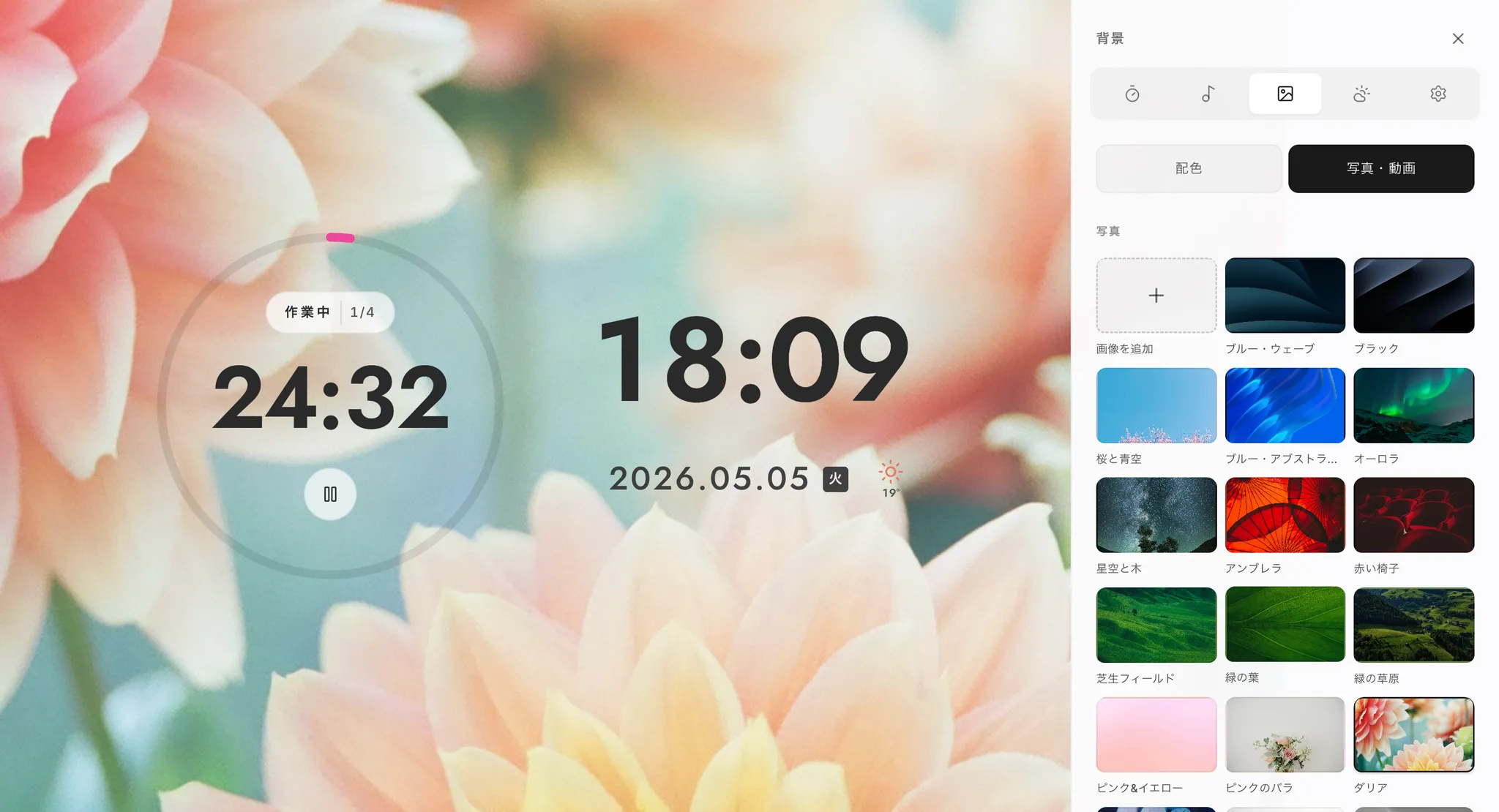
PWA Install and Hourly Auto-Shuffle
Focus Clock is a PWA, so you can "Add to Home Screen" from your browser and launch it like a native app. On every hour, the background, font, and color scheme shuffle automatically, keeping the visual layer fresh. All settings are stored in local storage—nothing leaves your machine—and it runs in modern browsers on Windows, macOS, iPad, and Android.
Summary: Make the Environment Do the Work, Not Willpower
Almost every "I can't focus at home" problem is, at root, a problem of environment design. Don't try to muscle through with willpower. Outsource the job to your physical, audio, time, and visual environments.
Where to Start Today
- Physical: invest in chair and lighting first; remove private-life objects from your line of sight
- Visual: keep a clock in view, silence non-work notifications via focus mode
- Time: start Pomodoro with three sessions a day
- Audio: mask household noise with lyric-free BGM
You can cover the visual, time, and audio axes simultaneously just by opening Focus Clock in a single browser tab. If "I want to change my home focus setup starting tomorrow" describes you, open Focus Clock in your browser and park it on a second display or an old device. That alone is a meaningful first step.
If you'd like to know why we built Focus Clock and the philosophy behind its features, see the development story in Mihata's own words.