
The wall most people hit when preparing for entrance exams isn't intelligence—it's time. The same one hour spent drifting versus broken into focused blocks by a timer produces wildly different amounts of retained knowledge. In fact, many University of Tokyo students and people who've passed elite professional exams quietly use a study timer to make time visible, and that's how they win.
This article walks through, in detail, how to use a study timer for entrance exam preparation—useful for everyone from junior-high and high-school students to university-bound students and working adults studying for certifications. In particular, we'll cover how to turn the smartphone (often blamed as the enemy of studying) into the ultimate study timer, and how to choose between the 25/5, 50/10, and 90/20 Pomodoro cycles, with concrete examples.
Pick the block length you actually revise in rather than the one a method recommends. The 25 minute timer suits Pomodoro-style sets, the 45 minute timer matches a school period, and the 60 minute timer covers a full past-paper attempt. Each opens in the browser already set to that time.
Why You Need a Timer for Exam Prep
People who get results in exam prep almost always break their time into intentional segments. Using a timer gives you three psychologically grounded benefits.
Turn Parkinson's Law to Your Advantage
You may have heard Parkinson's Law: "Work expands so as to fill the time available for its completion." Memorizing 50 English words with no deadline can drag on for two hours. But set a 25-minute timer and your brain shifts gears. For exam takers, this "deadline effect" translates directly into points on the test.
Dopamine Rewards Make Focus a Habit
Each time the timer rings and you finish a set, the brain receives a small hit of accomplishment (dopamine). Stack that pleasure day after day and your brain begins to encode studying itself as "something that feels good." Exam preparation is a months-to-years marathon—the people who build a system they can sustain are the ones who win.
Visible Study Time Lifts Motivation
Was it "only three hours today" or "a full six"? With timer-based records, the answer is obvious. Days until your mock exam × hours of focused study per day = total study hours to passing. Turning the abstract into numbers transforms vague anxiety into a concrete sense of "how much there is to do."
Timers are also indispensable for shutting down the classic "feels like studying" trap that exam takers fall into. Thirty minutes of staring at a textbook and 25 minutes of timer-driven, output-heavy work imprint vastly different amounts of information. A study timer is the cheapest, most reliable investment for making the line between drifting and serious work visible.
Many University of Tokyo students who've moved their deviation score from 60 to 70 say the same thing: "I didn't extend study hours; I increased the focus density per session." A timer is the only tool that physically forces that density.
Is the Pomodoro Technique a Good Fit for Exam Prep? Three Variants to Mix
The Pomodoro Technique, devised by Italian developer Francesco Cirillo, defines one set as 25 minutes of focused work plus a 5-minute break. For exam preparation, however, the optimal cycle changes by subject and grade level. Memorize these three patterns.
Cycle | Focus / Break | Best for | Recommended for |
|---|---|---|---|
Standard Pomodoro | 25 min / 5 min | English vocabulary, memorization, foundational drills | Junior-high students, 1st–2nd-year high schoolers, beginners building a study habit |
Long Pomodoro | 50 min / 10 min | Advanced math problems, long-form reading, past-exam practice | University-bound students, top-tier-school applicants, subjects requiring deep thinking |
Deep-work style | 90 min / 20 min | Common Test or actual-exam full simulations, essay writing | Students in the final stretch, working adults preparing for the real exam |
The key is to mix and match by subject characteristics. Vocabulary and history memorization stick better when you cycle through quickly with a short rhythm, while hard math problems and long English passages benefit from the deeper thinking that 50/10 enables. For full-length practice that simulates the real test, always use 90/20 or longer to accustom your brain to "actual-exam time."
The classic failure mode of "Pomodoro for studying" is jumping straight into 90/20, having the brain rebel, and quitting in two days. Always start with the standard 25/5; once you've sustained it for two weeks, move to 50/10; another month later, step up to 90/20. Stepwise progression is how you make it stick. Focus for exam prep doesn't grow overnight—it's built daily, cycle by cycle.
The Smartphone Isn't the Enemy. Here's How to Convert It Into a "Study-Only Device"
Search "study timer smartphone" and you'll find a flood of "lock your phone away" arguments. But realistically, putting the phone down completely is hard. Flip the script and turn your smartphone into a "study-only device" instead. With the settings below, you can shut out the temptations and use it as your strongest timer.
iPhone: Setting Up Focus Mode
With Focus mode (introduced in iOS 15 and later), you can fully restrict which apps can notify you while studying.
- Open Settings → Focus → tap the + in the upper right → choose Custom
- Name it "Study," set a color and icon, then tap "Next"
- Under People, allow only family (or no one)
- Under Apps, allow only Clock, Calculator, and Dictionary
- Under Schedule or Automation, set automatic activation for weekdays 18:00–22:00
- Finally, build a custom Home Screen page that shows only your study apps
With this, while Study mode is on, LINE, Instagram, and TikTok will produce zero notifications. The app icons themselves disappear from view.
Android: Setting Up Digital Wellbeing
Use Digital Wellbeing, built into Android devices (Pixel, Galaxy, Xperia, etc.).
- Open Settings → Digital Wellbeing & parental controls
- Tap Focus mode
- Tick the boxes for SNS, games, and video apps
- Under Schedule, register your study time blocks
- Use Bedtime mode to make the screen grayscale (drastically reducing temptation)
The Last Resort: Airplane Mode + Wi-Fi Off
If you still can't focus, turn on Airplane mode—it's the strongest move. No messages get through and the phone becomes "just a timer." If you need to remain reachable for family, leave Wi-Fi on for messaging apps. Better yet, place your phone at least one meter from your desk—the urge to open social media physically drops. Research suggests that just having a phone within reach causes the brain to keep tracking it unconsciously.
Conversely, if you're going to keep your phone on the desk as a study timer, face the screen up and run only your PWA-installed Focus Clock. With that one rule, the phone goes from temptation device to passing-the-exam device.
Recommended Study-Timer Sets by Grade Level and Goal
Below are recommended setups for four common scenarios—students and working adults. Pick the one closest to your situation and try it tomorrow.
Junior-High Students (Term Tests / High-School Entrance Exams)
- Cycle: 25/5 × 3–4 sets → 30-min break → 25/5 × 3 sets
- Daily target: 2.5–3 hours on weekdays, 5–6 hours on weekends
- Subject distribution example: Set 1 = English vocab, Set 2 = math drills, Set 3 = science/social studies memorization, Set 4 = Japanese long-form reading
- Tip: Total focus capacity is still small, so cycle quickly with short blocks. Jot down "problems solved" per set—the sense of accomplishment compounds
High-School Students / University-Bound Students
- Cycle: 50/10 × 2 sets in the morning, × 3 in the afternoon, × 2 in the evening
- Daily target: 4–5 hours on weekdays, 10–12 hours on weekends (during summer break and the final stretch)
- Subject distribution example: Morning = math/physics (thinking-heavy), afternoon = English long-form reading and modern Japanese, evening = memorization (Japanese history, classical-Japanese vocab)
- Tip: Put your hardest subjects in the morning, when the brain is sharpest. In the final weeks before the exam, do at least one 90/20 full past-exam simulation each day
Working Adults (Bookkeeping, Real-Estate, TOEIC, Administrative Scrivener, etc.)
- Cycle: Weekday morning 25/5 × 1 set, weekday evening 50/10 × 2 sets / weekend 90/20 × 3 sets
- Daily target: 1.5–2 hours on weekdays, 6–8 hours on weekends
- Subject distribution example: Morning = vocabulary and formula memorization, evening = past-exam practice, weekend = full-length, exam-format simulations
- Tip: Focus is depleted after work, so 50 minutes from a cold start is rough. Treat the first 10 minutes as a "warm-up"—just opening your notebook is fine
For Parents Supporting Junior-High and High-School Children
- Instead of "Go study," hand them a tool: "Try a 25-minute timer"
- After each set, a small nudge ("Want to do one more?") draws out the sense of accomplishment
- Don't confiscate the phone—set up Focus mode together. This alone dramatically reduces parent-child arguments
Why Students Choose the Free, Ad-Free, PWA-Ready Focus Clock
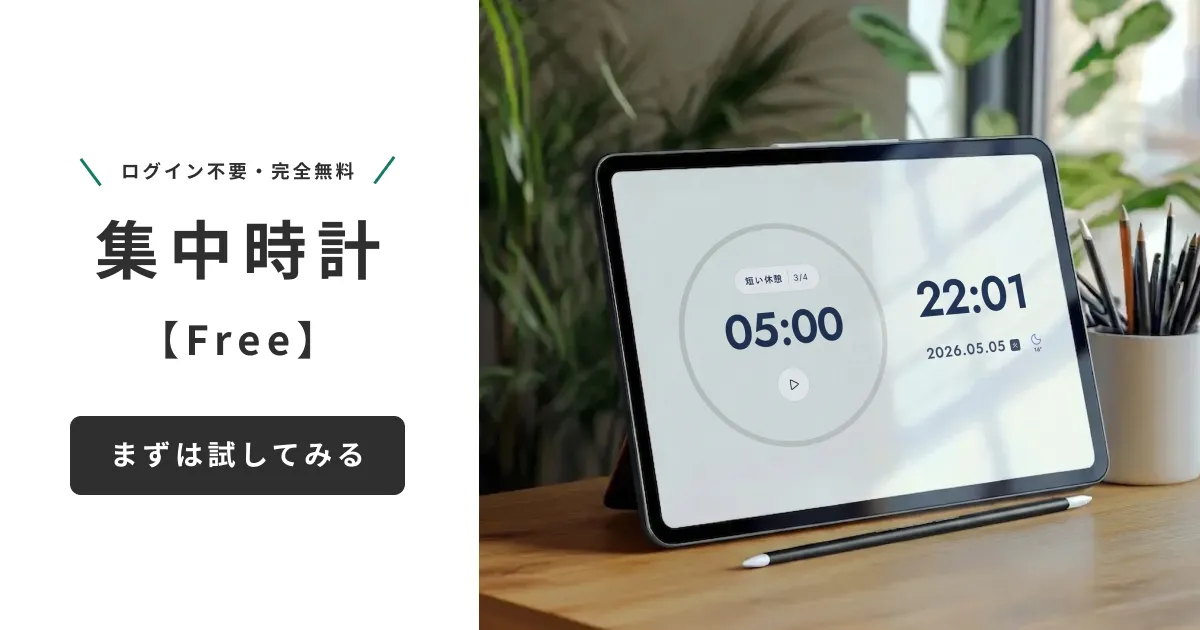
Off-the-shelf kitchen timers measure only one cycle, paid apps charge monthly fees, and free apps break your focus with ads. The Focus Clock timer built by Mihata solves all of these.
Four Features Students Will Love
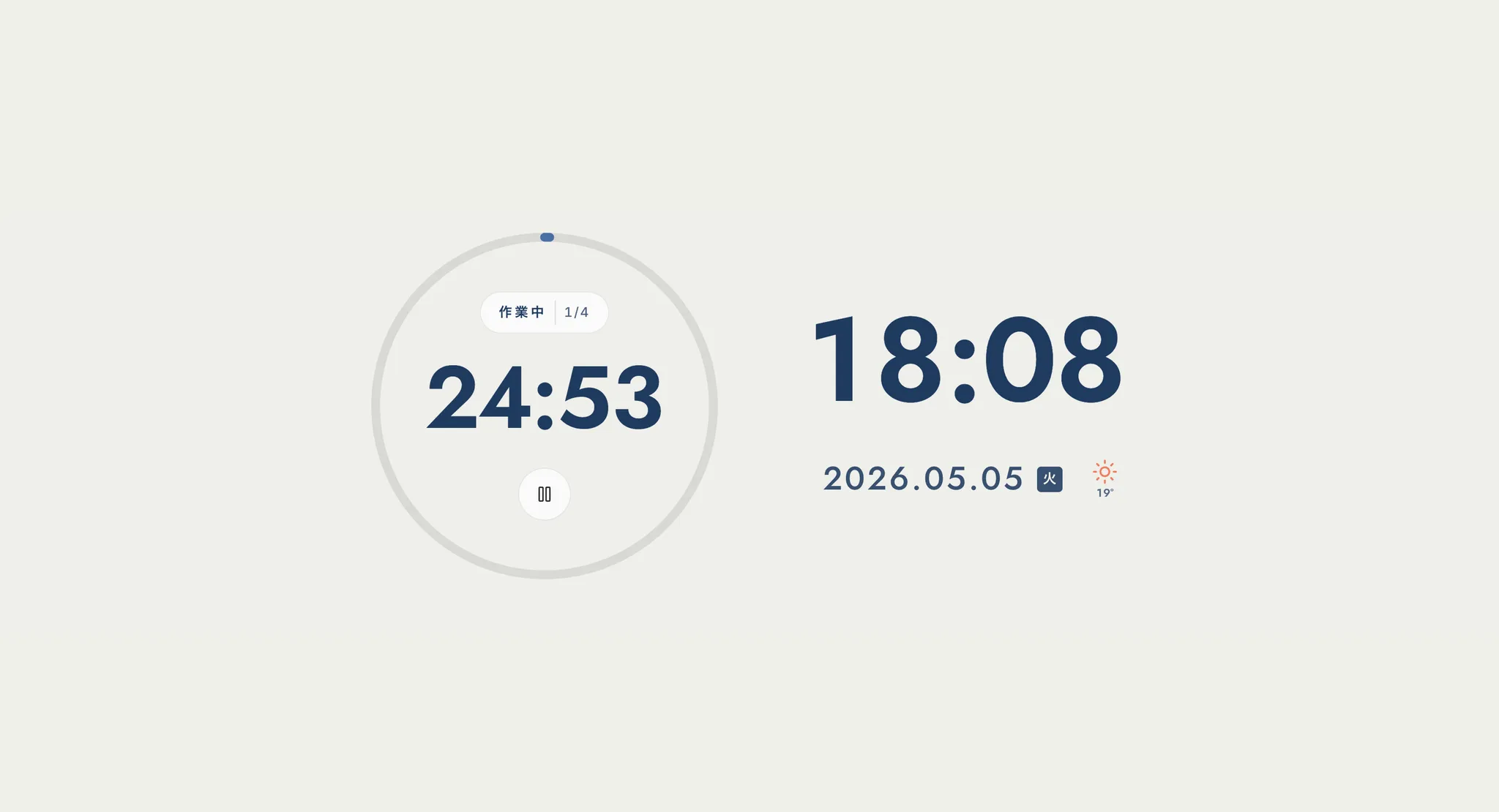
- 1-minute granularity for Pomodoro: 25/5 of course, plus 50/10, 90/20, or your own custom "45/8"—configure freely
- Built-in work BGM: lo-fi and nature-sound presets that don't break focus. No need to open YouTube and sit through ads
- Stylish backgrounds + full screen: turns your phone into a "study-only display." Less in your visual field means more focus, naturally
- PWA-ready, add to home screen: no app-store install needed—add it to the home screen straight from the browser
Completely Free, Ad-Free, No Sign-Up
Everyone has had focus broken by an ad in a free app at least once. Focus Clock is completely free, ad-free, and requires no account. Open the URL and use it instantly. For exam takers, "zero friction to start using it" is, in itself, valuable.
Frequently Asked Questions
Q. Can I use my phone during a Pomodoro break?
A. Social media is an absolute no-go. A "5-minute break" turns into 30 minutes vanished. During breaks, choose from these four: stand up, drink water, look out the window, stretch. Resting brain and eyes determines focus on the next set.
Q. What if I can't focus for 25 minutes?
A. Start with 15/3. Focus is like a muscle—it grows with training. After a week, move to 20 minutes; once that feels easy, 25. Within a month, you'll be capable of 50-minute focus sessions.
Q. Real exams run 90 minutes or longer. Do I need to practice 90-minute focus daily?
A. Yes. Starting one to two months before the exam, do 90/20 full simulations at least three times a week. Set up a 90-minute custom timer in Focus Clock and you can run real-exam simulations directly. If you don't accustom your brain to "running for 90 minutes straight," you'll fade in the back half on the day.
Wrap-Up: One Timer Will Dramatically Change Your Exam Prep
The biggest reason results don't come in studying is not talent but how you spend your time. Use a timer to build a 25/50/90-minute rhythm and convert your phone into a "dedicated device" with Focus mode. With just these two changes, the same day will absorb two or three times as much.
You can start with a kitchen timer or your phone's stock clock. But if you're serious about raising the quality of your exam prep, give Mihata's Focus Clock a try. Custom Pomodoro in 1-minute steps, focus BGM, full-screen study mode, PWA support—every feature that shortens the distance to passing is included, all free.
Tomorrow morning, before you sit down at your desk, set a 25-minute timer. That alone will change your exam prep starting today.
To hear why we built Focus Clock and the philosophy behind each feature, in the developer's own words, please also read our development story.